
◷ Reading Time: 5 minutes
Business Formulas can be used to define expressions and reuse them across logic documents.
You can add different types of expressions as Business Formulas.
- Formula: To write formulas
- Literal: To assign constants and literal formulas (without any parameters)
- Function: To assign a function with a list of expressions
- Native Method: To assign .NET native methods
- Embedded Model: To embed a document from the project
Formula expressions
We use formulas to store expressions with parameters.

Formula Expression Properties

- Business Formula: The type of the expression
- Expression: The expression you want to assign to the name
- Name: Name of the expression
- Parameters: The parameters used in the expression
Literal Expressions
Literals are used to store constant values or expressions that only contain literal values.
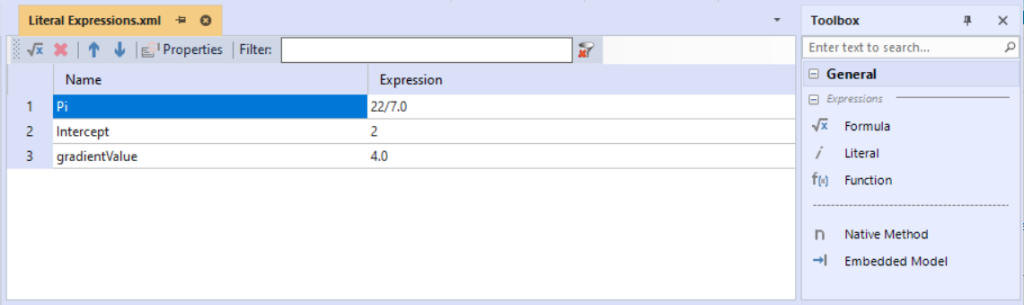
Literal Expressions Properties
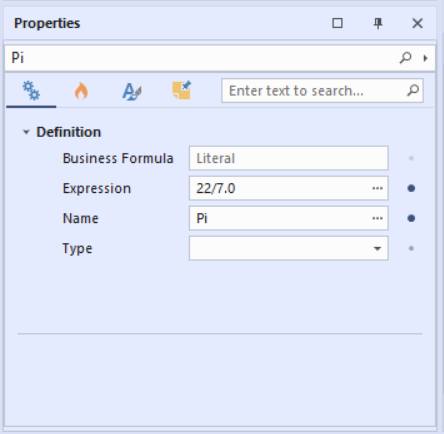
- Business Formula: The type of the expression
- Expression: The expression you want to assign to the name
- Name: Name of the expression
- Type: Type of the formula’s expression result. Default is as the expression suggests or list as it will be translated to list.
Function expressions
Functions can store a set of expressions as one function.
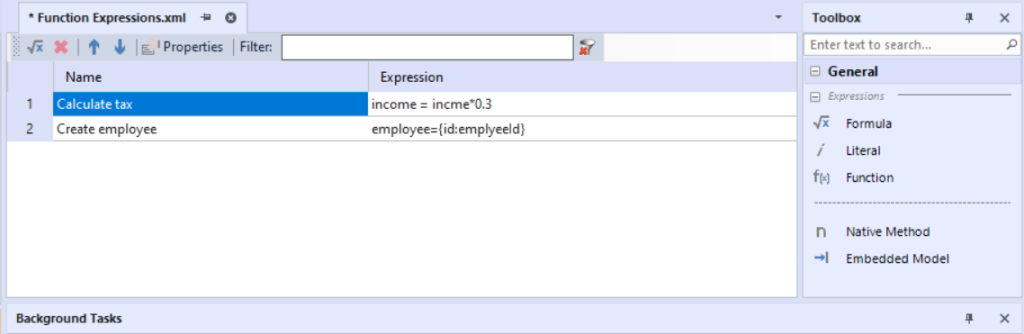
Function Expressions Properties
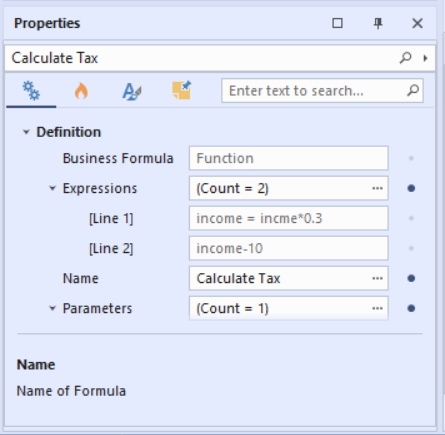
- Business Formula: The type of the expression
- Expressions: The list of expressions you want to assign to the name
- Name: Name of the expression
- Parameters: The parameters used in the expressions
- Type: Type pf the formula’s expression result. Default is as an expression suggested or list as it will be translated into a list.
Native Methods
Native methods are used to define .NET type methods inside FlexRule.
You can add static methods from any .NET type.

Native Method Properties

- Business Formula: The type of the expression
- Name: Name of the expression
- Assembly: Assembly that has the type of implementation
- Method Signature: Signature of a static method of a type
- Type: Type of the native method
In the above figure, we use the method DateTime.DaysInMonth(Int32, Int32) .
Embedded Model
Embedded models are used to connect to an existing document such as a decision table.
For example, if you have a flow connecting to a REST API and you want to use this flow within a decision table, you can use an Embedded Model business formulas.

Embedded Model Properties

- Business Formulas: The expression you want to assign to the name
- Name: Name of the expression
- Logic Documents: The logic documents to be called
Business Formulas Sample Project
The attached project includes a set of examples for each expression type.