◷ Reading Time: 3 minutes
The FlexRule Resource hub is a content rich reference portal that contains articles relevant for understanding and using FlexRule platform products.
The Resource Hub Home page offers two key sections, Introductory and general articles and a section with the product specific articles. There is also a comprehensive search feature with filtering to help drill down to the article you need.

Introductory section
The Introductory section has three areas:
Getting Started – Some higher level articles that help to get started with FlexRule including registration, support details and Licensing.
Sample Projects – A range of sample decision services across a number of industries. These are great reference guides to modeling decisions.
Platform General – Cross product and more general guides
FlexRule Products section
There are four key products in the FlexRule Platform; Designer, Server, Runtime and CLI. This section offers categories for each product allowing users to navigate to product specific information.
Search
The Search feature offers basic Keyword searching along with a number of filters to drill down on the specific content being sought.
The filters can be found at the right side of the Search input.

When selecting options in the filters the keyword entered is queried against only articles in that specific category.
Search results are returned dynamically under the search input and when enter is selected on a search the results are displayed in a paginated list view.

Article details
Several versions of each product are supported so some articles will include a version dropdown that helps to get the article that is specific for the version being used. This can be found in the top right of each article (where relevant).

If there is no version selector in an article then it can be assumed the article content will relate to any version of the specific product or the feature within the article is only available on the latest release version.
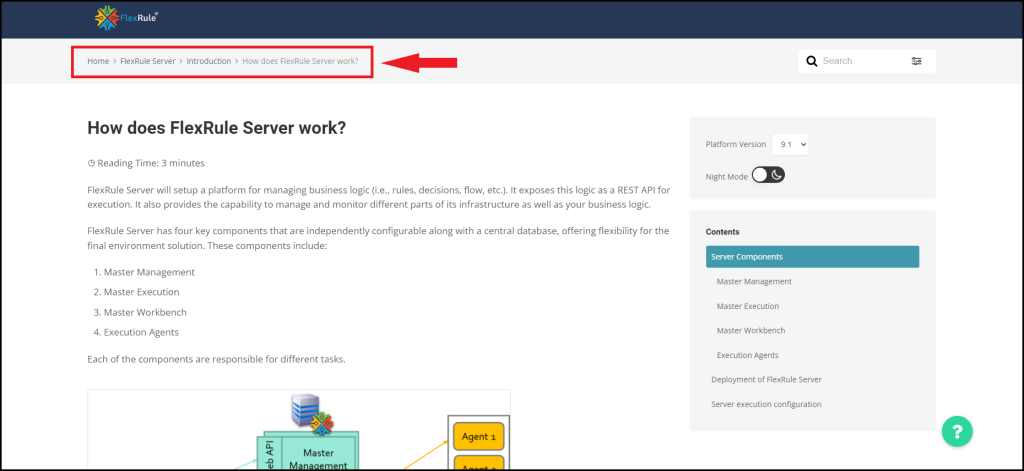
Articles also contain a breadcrumb at the top left of the page that shows which category the article sits under. In some cases articles are contained in multiple categories so will contain multiple breadcrumbs.