
◷ Reading Time: 7 minutes
FlexRule Server nodes serve HTTPS when a Transport Layer Security (TLS) certificate is configured for that node. Certificates are set per node, after installation, using FRS.exe. When a node has no certificate configured it serves plain HTTP, so SSL can be turned on one node at a time.
Generating your Own Certificate
In order to configure SSL for FlexRule Server, you will need a PFX Certificate. A test certificate is attached at the end of this article for testing purposes, but for production environments it is recommended to generate your own certificate via conventional means.
Extract and place your certificate in an easy to access location, note this file path down for use in the next step.
Documents/flexrule-test.pfxConfiguring SSL for Individual Nodes
It is recommended to enable SSL for at least the public-facing nodes. SSL for Execution Worker and Events Gateway is not required but can be done for added security.
| Node | Flag | Default Port | Public-facing? |
|---|---|---|---|
| Identity | –identity | 9000 | Yes |
| Execution Controller | –executionController | 9001 | Yes |
| Execution Worker | –executionWorker | 9002 | No |
| Asset Management | –assetManagement | 9004 | Yes |
| Studio | –studio | 9006 | Yes |
| Events Gateway | –eventsGateway | 9007 | No |
| Workbench | –workbench | 9010 | Yes |
For each node that you want to enable SSL on, run the below commands.
cd <C:\Path\to\Node>
FRS.exe config --<Node> --host <Url>
FRS.exe config --<Node> --certificate <CertPath> --certificatePassword <CertPwd>
Node: [identity | executionController | executionWorker | workbench | assetManagement | studio | eventsGateway]
Url: The node’s listening Url, make sure to include https://... to enable SSL
CertPath: The path to the certificate in the previous section
CertPwd: Certificate password
Example
Identity
cd "C:\Program Files (x86)\FlexRule\Server\11.4.2983\Identity"
FRS.exe config --identity --host "https://localhost:9000"
FRS.exe config --identity --certificate "Documents/flexrule-test.pfx" --certificatePassword "FlexRuleTest2026!"
Execution Controller
cd "C:\Program Files (x86)\FlexRule\Server\11.4.2983\ExecutionController"
FRS.exe config --executionController --host "https://localhost:9001"
FRS.exe config --executionController --certificate "Documents/flexrule-test.pfx" --certificatePassword "FlexRuleTest2026!"
Configuring Workbench Addresses
You will need to additionally configure Workbench so that it points to the new HTTPS backends.
Example
FRS.exe config --workbench --identityaddress https://localhost:9000 --executioncontrolleraddress https://localhost:9001 --assetmanagementaddress https://localhost:9004 --studioaddress https://localhost:9006After configuring all necessary nodes to have SSL enabled, you can start your FlexRule Server nodes.
Testing the Configuration
Browser Testing
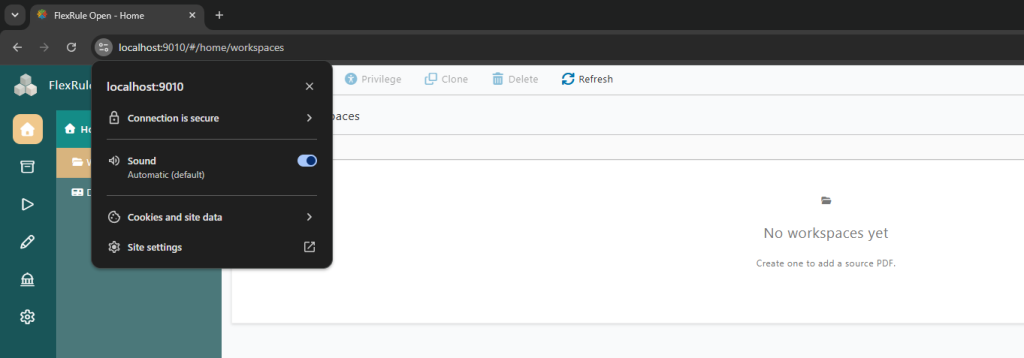
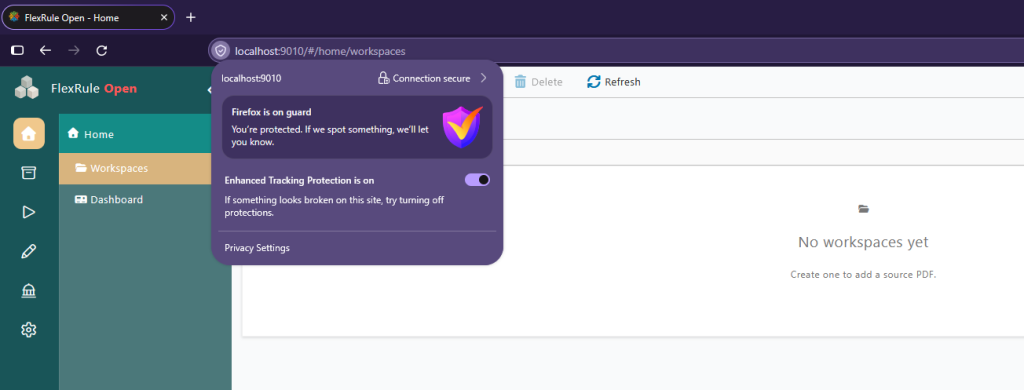
To test if SSL is working as intended, browse to Workbench‘s address (eg. https://localhost:9010). Next to the search bar, you should now see a lock, signifying that the connection is secured and SSL is active.
Chrome
Firefox
If you’re using the example certificate, you may see a NET::ERR_CERT_AUTHORITY_INVALID error. This is due to the cert being self-signed. This is expected and confirms TLS is live. Click Advanced -> Continue to proceed. The warning appears once per port on first visit.
(Optional): Removing the browser warning
Run the below command in your certificate’s folder to import it into the Windows Trusted Root Store so browsers trust it.
Import-PfxCertificate -FilePath ".\flexrule-test.pfx" `
 -CertStoreLocation Cert:\LocalMachine\Root `
 -Password (ConvertTo-SecureString "FlexRuleTest2026!" -AsPlainText -Force)
Then fully restart the browser.
Notes:
- Do this on every machine that runs a browser against the nodes – the trust
is per-machine, not on the server. UseCert:\CurrentUser\Rootinstead if you
cannot run as Administrator (trusts it for that user only). - One import covers all the nodes, since they share the same certificate.
Using PowerShell 7
(Invoke-WebRequest -Uri "https://localhost:9010" -SkipCertificateCheck).StatusCodeA 200 means the certificate is loaded and the node is serving over TLS.
Turning off SSL
If for some reason you wish to go back to HTTP, you can achieve that by clearing --certificate certificate paths in the relevant FlexRule.OPEN.<Node>.dll.config files and setting the host back to http://..., then restarting the nodes.
SSL in Production Environments
Do not use the example self-signed cert in production. Instead:
- Obtain a certificate for the real host name(s) from a trusted CA (either public or your organisation’s internal PKI). It must be a
.pfx/PKCS#12 file that includes the private key, and its subject/SAN must match the host name clients use (eg.workbench.company.com), notlocalhost. - Place the
.pfxin a secure location on each node’s host, readable by the account the node runs as. Do not commit real certificates to git. - Configure each node with its real host name and the certificate:
frs config --identity --host https://identity.company.com:9000 --certificate "C:\certs\company.pfx" --certificatePassword "<password>"
frs config --workbench --host https://workbench.company.com:9010 --certificate "C:\certs\company.pfx" --certificatePassword "<password>"
and so on for every node clients reach. One certificate can cover several nodes if its SAN lists all the host names (or it is a wildcard).
- Point the Workbench browser config at the HTTPS back-ends:
FRS.exe config --workbench --identityaddress https://identity.company.com:9000 --executioncontrolleraddress https://exec.company.com:9001 --assetmanagementaddress https://assets.company.com:9004 --studioaddress https://studio.company.com:9006- Restart the nodes
Troubleshooting
NET::ERR_CERT_AUTHORITY_INVALIDin the browser- Expected for a self-signed cert — TLS is working. Click through, or import the cert into Trusted Root.
ERR_CERT_AUTHORITY_INVALIDonconfigs//oauth2/token(login fails)- A background
fetch/XHR to another node (e.g. Identity 9000) with an untrusted cert — no click-through is possible. Import the cert into Trusted Root on the browser machine and restart the browser (see Removing the browser warning).
- A background
ERR_SSL_PROTOCOL_ERROR- The node address is
https://but no certificate loaded. ConfirmCertificatePathis set and the node was restarted; check the node log forHTTPS enabled with certificate: ....
- The node address is
- Node throws error on start-up (cert file not found)
CertificatePathpoints at a missing.pfx. Fix the path and re-run.
Port ... already in usewhen securing- The node is still running. Stop nodes first, then secure, then start.