◷ Reading Time: 2 minutes
You can load a DMN file(DMN standard 1.4) into FlexRule Designer by creating a new FlexRule Project from scratch.
Load from DMN File
Open the FlexRule Designer and click on “From DMN File.”
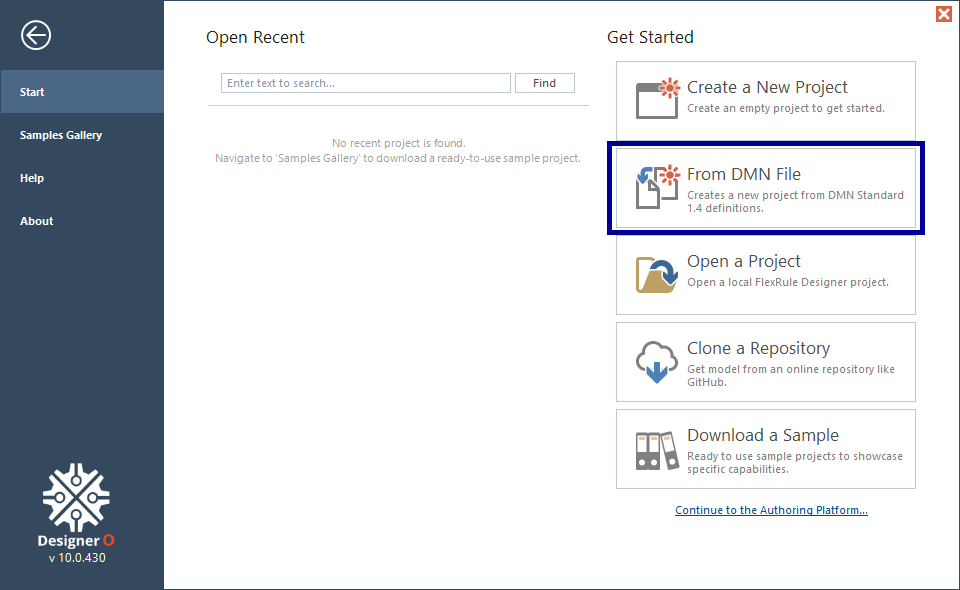
Then, give a name for the project and click ok.
Select a DMN File
Then select a DMN file you want to load from the pop-p window and then click Open.

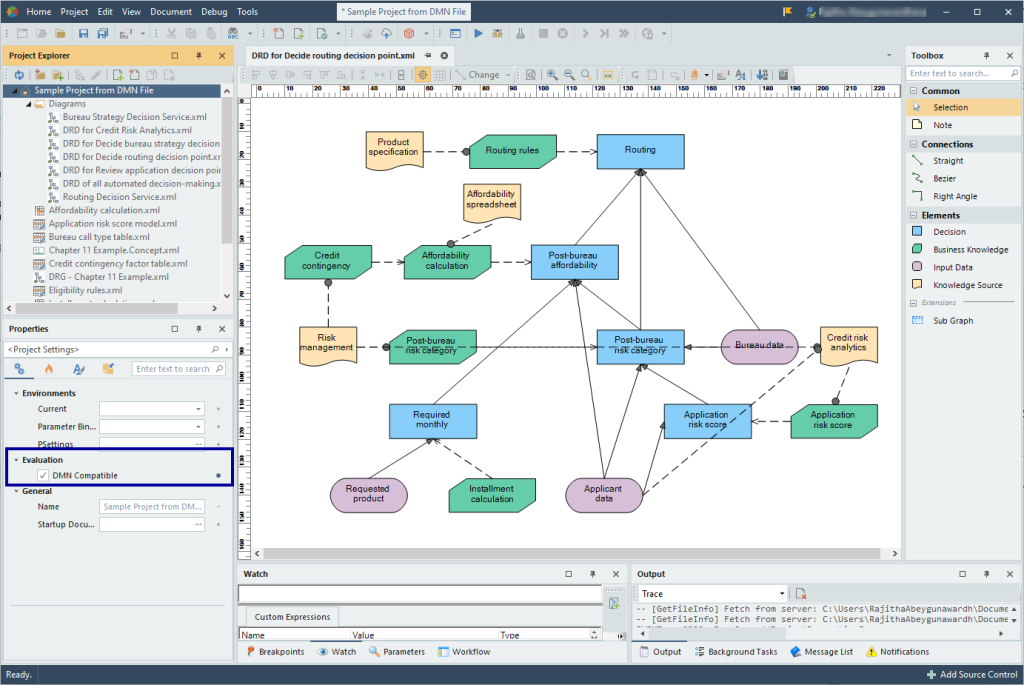
Then, it will load the DMN file into FlexRule Designer, which is ready to be executed.
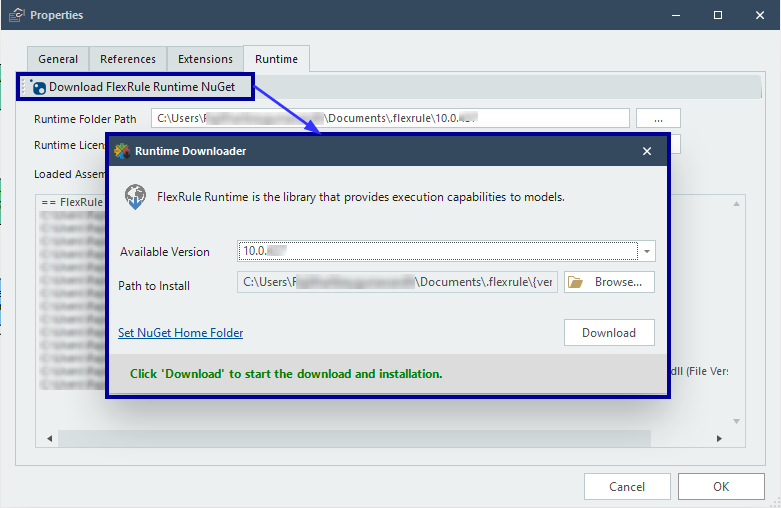
To execute, you must ensure you have the latest FlexRule Runtime version 10 installed. You can check the runtime version by navigating to Project -> Properties -> Runtime. And then click on Download FlexRule Runtime NuGet. If your locally installed Runtime version is older, then download the latest version by clicking on Download.
Ready to Execute and Deploy
Your project is ready to execute and deploy into any serverless environment (AWS, AZURE, Google) or FlexRule Server.
You must ensure the “DMN Compatible” setting under the Properties window is selected before executing locally or deploying to any environment.