
◷ Reading Time: 2 minutes
Lets assume you need to load a DMN file inside your existing project.Then you need to open your existing project in FlexRule Designer.
Install the Latest DMN Extension
As the first step you need to install DMN extension by navigating to your Extension manager.Tools -> Extension manager.Then select the DMN Extension and click the green plus icon on the top left corner.

DMN Compatible Setting
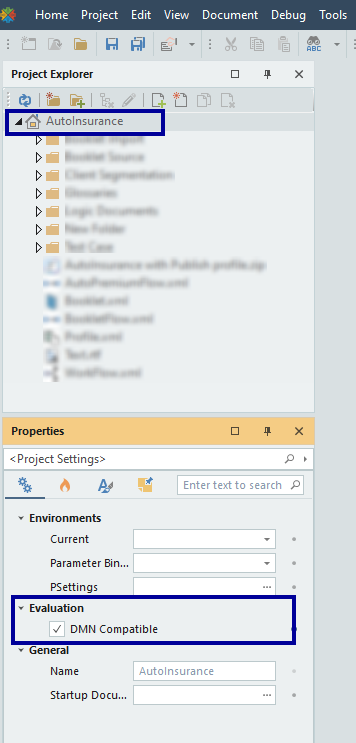
Then you need to select the DMN Compatibility Settings.
Click on the project root node and check the Properties window-> Evaluation
Loading a DMN File
You can load the DMN file into a root node of the existing project or else you can create new folder.
Then navigate to Document -> From DMN file and choose your DMN file from the pop-up window.

Then the DMN window displays the information related to DMN document and allow you to select the destination folder as well.Then click ok.
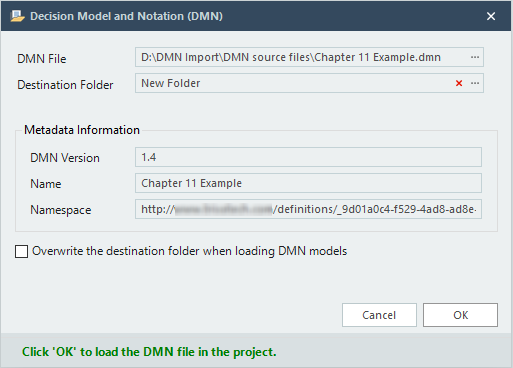
This allows you to load a DMN file into your existing project and continue working with your project.