
◷ Reading Time: 5 minutes
Load balancing across multiple application instances is a commonly used technique for optimizing resource utilization, maximizing throughput, reducing latency, and ensuring fault‑tolerant configurations.
Kemp has a variety of load balancer products, and we picked the virtual one as a sample to talk about.
LoadMaster Virtual Load Balancer
Progress® Kemp® LoadMaster® is an advanced load balancer and application delivery controller (ADC) that supports major application workloads with easy-to-use templates. Virtual LoadMaster (VLM) offers convenient features such as SSL offload, advanced authentication, and traffic delivery options.
- Deploy on all major hypervisors and leading public cloud services with a consistent set of features.
- Simplify cloud migration and hybrid cloud deployments through a single solution.
- Reduce management complexity through Web UI and API.
- Automate load balancer deployment, configuration, and administration with the APIs.
- Integrate load balancer operations with DevOps and hypervisor management frameworks.
HTTP Load Balancing
A Layer 7 load balancer operates at the highest level applicable and provides deeper context on the Application Layer protocols such as HTTP. Operating at the Application Layer, a Layer 7 Load Balancer can use this additional application awareness to make more complex and informed load balancing decisions based on the content of the message, to apply optimizations and changes to the content (such as HTTP header manipulation, compression, and encryption) and ensure reliability and availability by monitoring the health of applications.
As shown in the Open System Interconnection (OSI) Model, Load Balancing at the Application Layer (Layer 7) is the highest level applicable and provides deeper context on the Application Layer protocols such as HTTP. Operating at the Application Layer, a Layer 7 Load Balancer can use this additional application awareness to make more complex and informed load balancing decisions based on the content of the message, to apply optimizations and changes to the content (such as HTTP header manipulation, compression, and encryption) and ensure reliability and availability by monitoring the health of applications.
Load Balancing Methods
Some of the available options are as below.
- Round Robin (the default): Distributes client requests across servers sequentially.
- Least Connections: Sends requests to the server with the fewest active connections.
- Weighted Round Robin: Similar to Least Connections, but servers are assigned weights.
- Resource-Based (Adaptive) Load Balancing: Distributes requests based on the current load on each server.
- Agent-Based Adaptive Balancing: Uses agents installed on the servers to gather performance data.
- Custom Scheduling: Allows administrators to define custom algorithms for traffic distribution.
How to use Kemp with FlexRule
The best practice for FlexRule environment is to Load balance traffic between Master Management nodes, Master Execution nodes, and Master Workbench nodes separately.
this is a sample to load balance 2 Master execution nodes:
server1: 192.168.1.111:9001
server2: 192.168.1.112:9003
- Download Kemp virtual load balancer, follow the installation guide to deploy and setup the VM; and log in to UI (https://[VM-IP]).
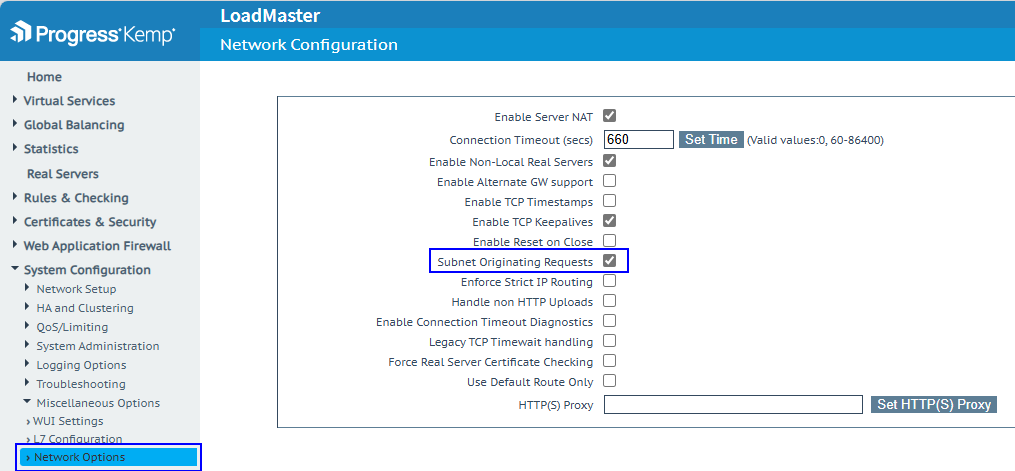
2. Enable Subnet Originating Requests Globally. (Optional recommended step)
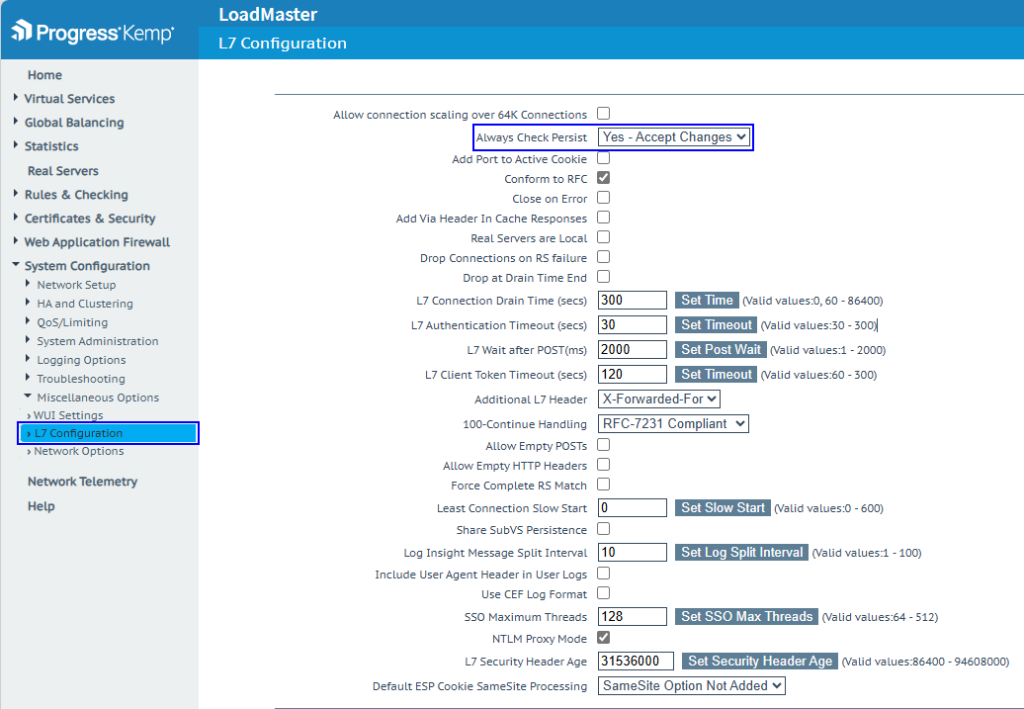
3. Enable Check Persist Globally. (Optional recommended step)
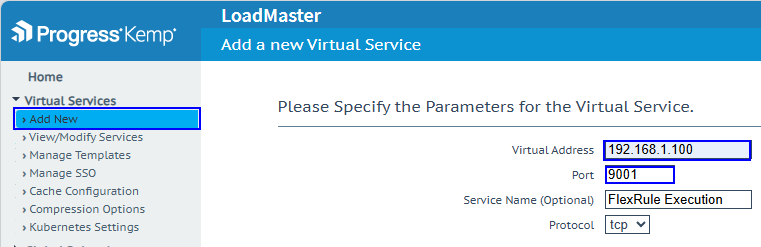
4. Add a valid virtual IP responsible for receiving traffic and a distribution point to redirect it to existing services.
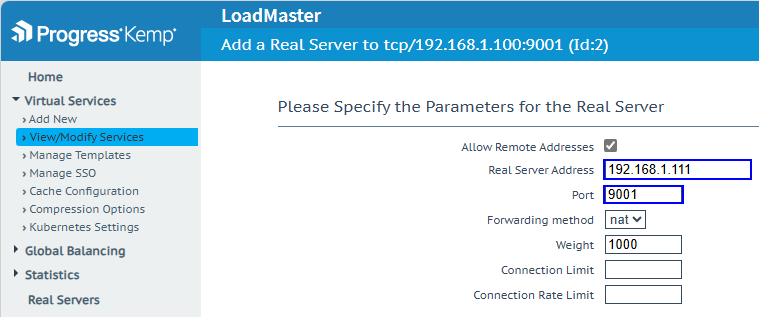
5. Add real servers one by one.
server1: 192.168.1.111:9001
server2: 192.168.1.112:9003
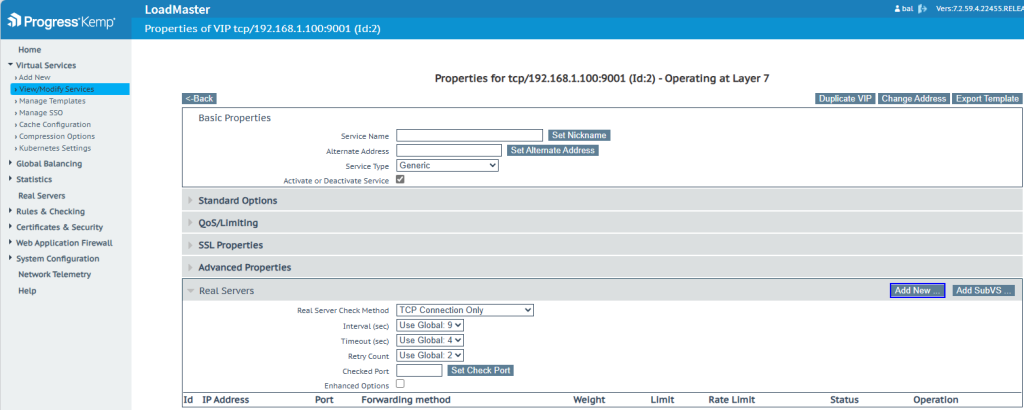
Choose a forwarding method and weight based on the requirements.
6. Confirm load balancer can talk to the specified server/port; the Status should be Up and green.
