
◷ Reading Time: 6 minutes
What is Activity Flow?
Activity Flow allows you to orchestrate the execution of multiple activities, tasks, or logic documents.
The flow consists of a set of:
- Nodes
- Transitions

Nodes
Nodes are isolated executable unit of work that carries a goal to be met. A node in the FlexRule Activity Flow engine can simply be:
- an activity to be executed
- a rule to be evaluated
- a decision to be taken
- and so on…
However, a node has no notion of sequence or succession. A node may have some Incoming and Outgoing transitions.
Transitions
In an Activity Flow, transitions are responsible for connecting one activity to another. This is the execution transition between different nodes in the flow. Most transitions just model the next step in a flow by pointing the attribute to the next node. However, sometimes a transition may have the following properties:
Conditions
E.g. Transitions that go away from a Decision node can have conditions.
Priority
E.g. Transitions that go away from a Decision node can have priorities.
Exception information
E.g. An exception message can be assigned.
Expression
E.g. A variable assignment can be done instead of adding an Assign node or Activity node.
These attributes of transitions allow the handling of complex behaviors in a flow.
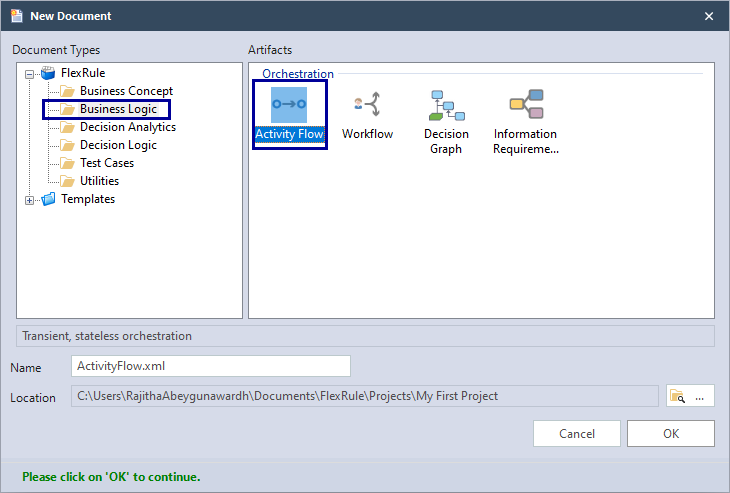
To add a new Activity Flow document,
Document Types --> Business Logic --> Activity Flow
Once you added a term, this will be the window.
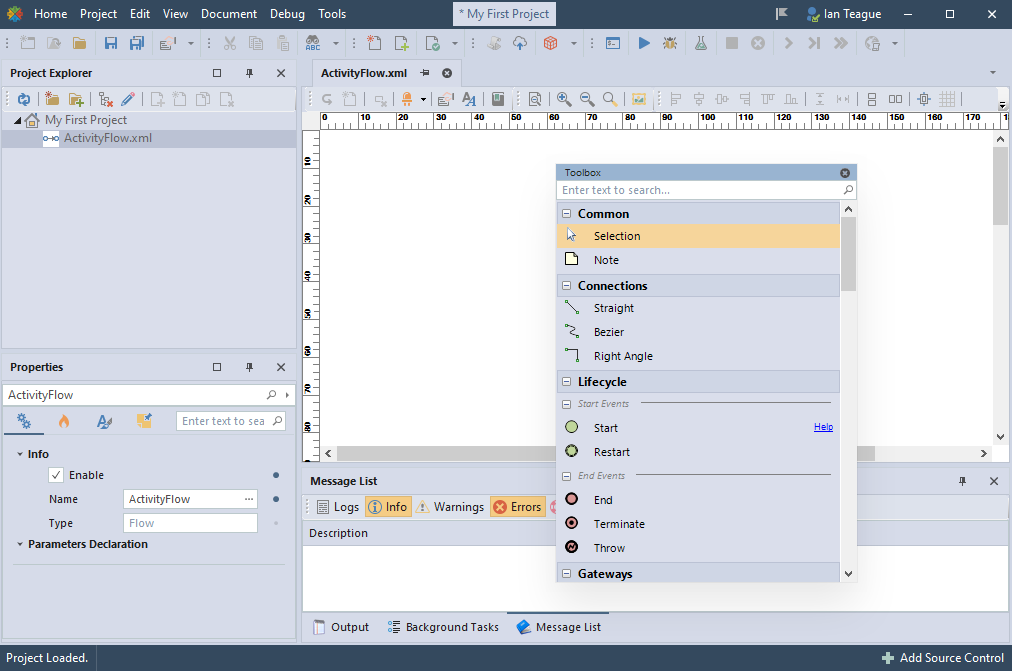
Activity Flow Properties

- Name: Name of the Activity flow
- Variable Definition: Define variables to be used in the flow
- Types Definition: List of types and functions
- Glossaries: Link Business Terms and Business Formulas
Activity Flow Toolbox
The toolbox has a number of nodes that can be added to the flow.

Top Menu
At the top menu, you can see the following items.

- Open the related logic document for this node: Open the logic document of a selected node
- Create a logic document for selected node: Create a logic document for a selected node
- Delete item: Delete a selected item
- Highlight the impacts of the selected node: Highlight the impacts of a selected node
- Properties: Properties of the page or a node
- Business Glossary: Link Business terms and Business formulas
- Overview of entire model: See the entire model
- Zooming: Zoom in or zoom out
- Export to image: Export the document to an image
- Alignments: Align nodes
- Resize: Resize selected nodes to a single size
- Layout arrangements: Automatically arrange and layout the nodes
- Change connections: Change connection styles to straight/ Bezier or Right Angle
Node/ Connection Properties
If you click on a node/ connection, its property window will appear. The properties vary depending on the node type.
Sample Activity Flow
Download the sample Activity Flow using the attachment.
