
◷ Reading Time: 2 minutes
Open AI
The FlexRule LLMs OpenAI extension allows you to integrate OpenAI’s Large Language Models with your decision models. You can send prompts to OpenAI and receive responses directly within your FlexRule models.
You need your Open AI key for this. For instructions on how to get the Open API key, please refer to this article.
Configure the Open AI Extension in FlexRule
Install the latest “FlexRule.Extensions.LLMs.OpenAI” extension from the Extension manager.
Then Navigate to Project Properties -> Extensions, and then enable the “LLM” extension by clicking on the check box.

How to use LLM
Create/open Activity Flow logic document.
In the ToolBox, you can find the “Prompt” under the LLM section.
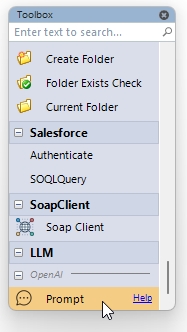
You can drag and drop the Prompt node to your activity flow document.
Configuring properties
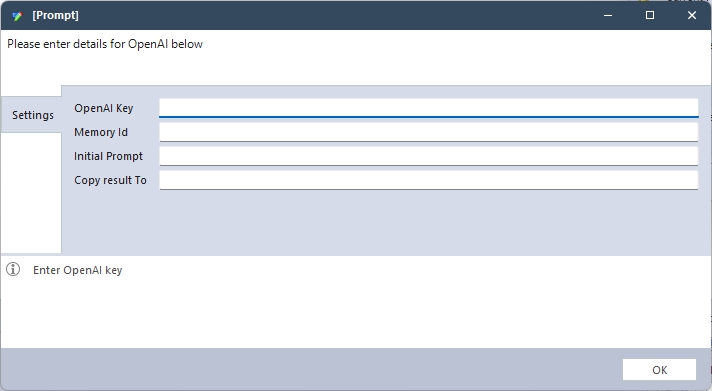
- OpenAI Key: Enter your OpenAI API key.
- Memory ID (Optional):
- Used to maintain conversation context.
- If you reference a previous prompt, provide the same Memory ID.
- Prompt: Enter your question or instruction for OpenAI.
- Copy Results To:
- Automatically creates a parameter to store OpenAI’s response.