
◷ Reading Time: 4 minutes
JSON Composer allows editing and creating JSON data inside a tree view structure of a JSON text editor. It allows building JSON data in multiple views; Graphical and Text views.

The data structure can be a template using Fact Concept or, the data elements can be added individually.
Launch
From the Toolbar
You can use the Debug with JSON Composer icon on the toolbar.

From the Menu Bar
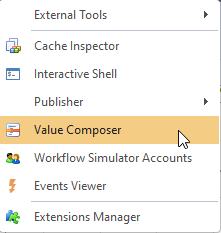
Tools -- > Value Composer
Views
Value Composer provides two views:
- Design Mode
- Text Mode
By clicking on the icon at the bottom left, you can switch between them.

Root
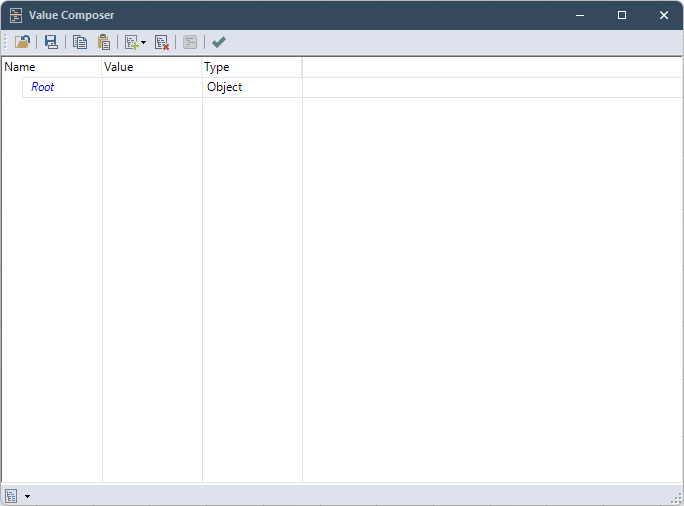
In the Design Mode of any JSON structure, there will be a root node named Root. This the main container of the rest of the data structure.
This root node can only have objects (Name-Value collection of the JSON body)
Adding Data
When the Value Composer is loaded
- On the toolbar, click on the add button
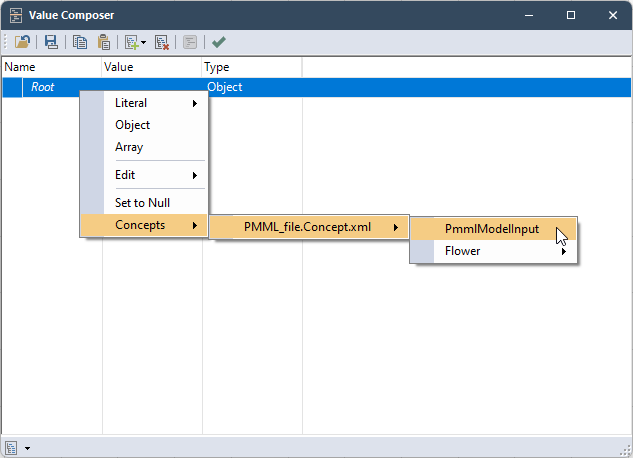
- Or Right-click on the Root node
Edit
Right Click on a node and select
- Edit Name
- Edit Value
- Edit Type
to edit the tree.
Fact Concept
When any Fact Concepts are defined in the project, the value of an object can be set by Fact or Option:
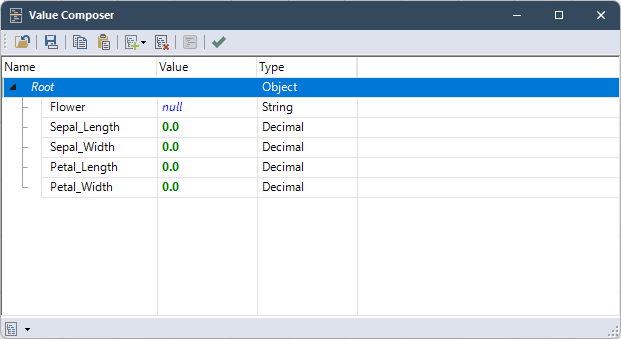
And you can create the whole fact model with a single click:
Sample JSON file
A sample JSON input file is attached at the end of the page.