
◷ Reading Time: 4 minutes
A continuous decision model is used to model long-running decisions in which decisions are dynamic over time based on responses, interruptions, and changing internal or external factors within a defined framework. Let’s examine how to create a Continuous Decision model.
Create a Continuous Decision Document

Once you create the Continuous Decision logic document, you can see the new set of Tools has been added to the regular Toolbox with the category called “Milestone”.
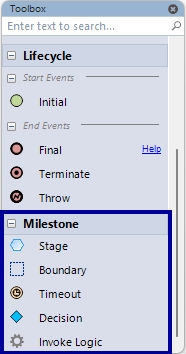
Lets see how these tools can be used in a model.
Stage
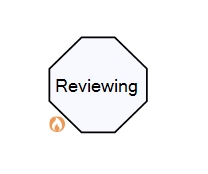
A stage represents a specific step or phase in the process. As a best practice, stage names should use the “ing” or “Noun” format to clearly indicate ongoing actions (e.g., Reviewing, Creating, Publishing, verification, exploration).
A Stage can have a name, Entry conditions, and Exit conditions. These conditions can be used to define expressions that control when the stage is entered or exited.
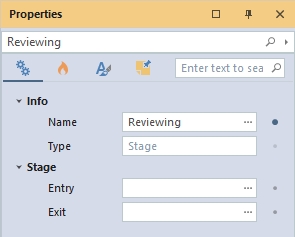
The Stage node can also have execution events “On Entered” and “On Exited.” These events allow an event to be executed when entering or exiting a specific Stage. This helps reduce the steps of the Continuous Decision Flow that are not related to the actual process.
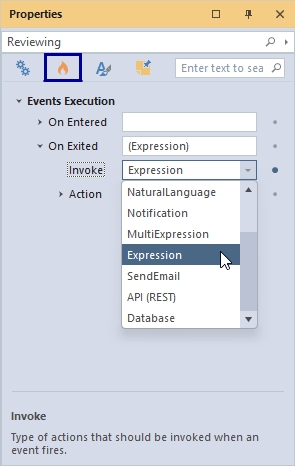
An example of a stage is as follows:
Boundary
The Boundary is a grouping of related stages and events, allowing for better organization of the flow.
For example, a Review Boundary might contain stages like Reviewing and Publishing.
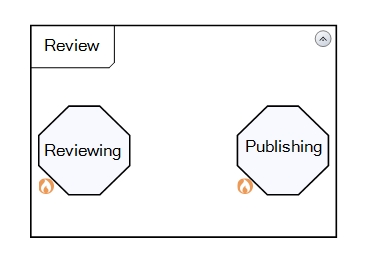
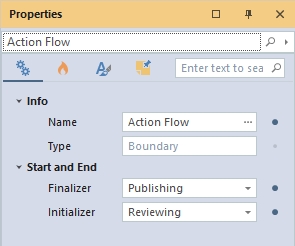
A boundary should include an Initializer and a Finalizer. The Initializer defines the boundary’s starting Stage, while the Finalizer specifies its concluding Stage. Additionally, a boundary can have a name to clearly identify its purpose within the process.
Timeout
The Timeout Node specifies a timeout based on an exact UTC calendar date and time, ensuring control over when a flow should expire. Sample date time format will be as follows :
#25/02/2025 11:00:00|dd/MM/yyyy hh:mm:ss#

Invoke Logic
The Invoke Logic allows you to reference one or more logic documents in the current project to the current Continuous Decision flow.
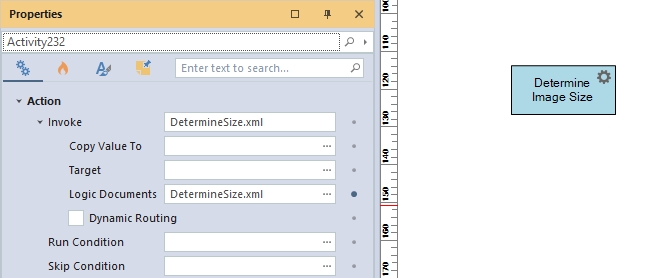
As similar to other activity nodes in a flow, the Invoke Logic node has same “Copy Value To”, Run Condition, Skip Condition, Dynamic Routing so on.
Events
The Events represent the actions when they are triggered. As a best practice Events are names in past tense. Event can have event title and also it can have a condition. and also an expression.
When a stage/ boundary has multiple outgoing events, the condition will trigger the execution on the right event. And also Event has a property called “Automatic” which determine if the event will trigger automatically. The Event is denoted as a scattered line in between nodes such as Invoke Logic nodes, Stages, Boundaries, and so on.

Durable Parameters
Durable parameters will retain their value in a long-running execution.
