◷ Reading Time: 15 minutes
Introduction
LiveContext is the decision-ready runtime context that DecisionLang operates on. It defines a structured data graph, based on a Fact Concept, that represents all decision-relevant data in a governed and consistent shape. DecisionLang navigates, filters, and evaluates against this structure at execution time. In simple terms, DecisionLang is the language, and LiveContext is the structured, controlled data space the language runs against.
Read more: click here
Create Fact Concept
In order to create a Fact Concept document for the LiveContext, you need to give Fact Names to represent the property type.
When you open the Decision Knowledge document, select the LiveContext property from the drop-down.

Then select the three dots for Property Details to Role Assignment.

Then give a Fact Type related to the property.
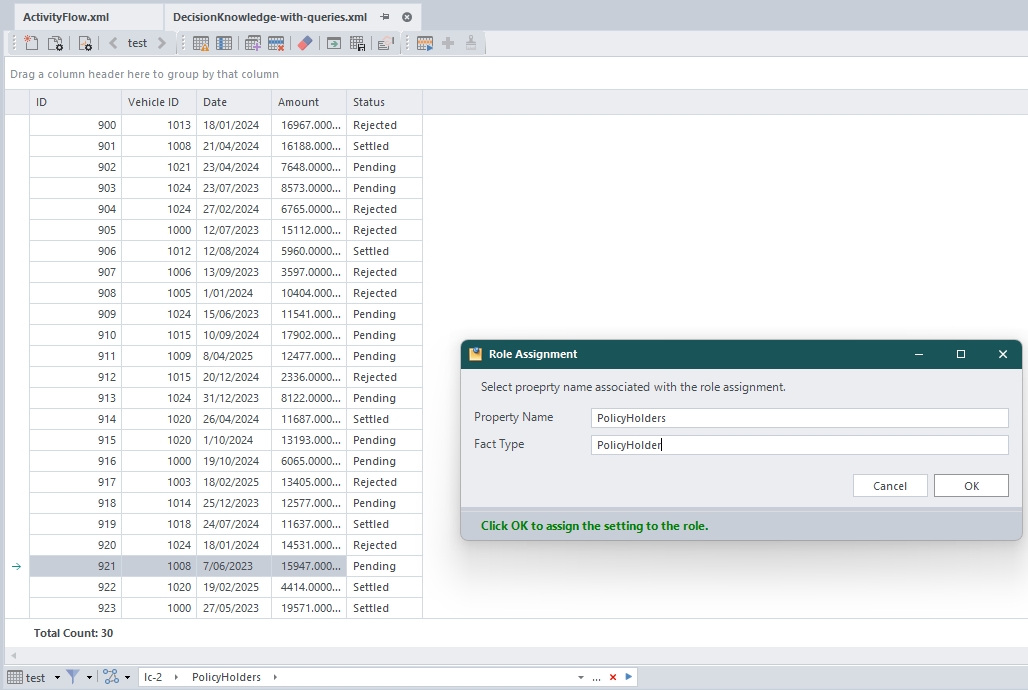
Then you need to assign roles to all sub-nodes of the LiveContext, including relation to the parent node.
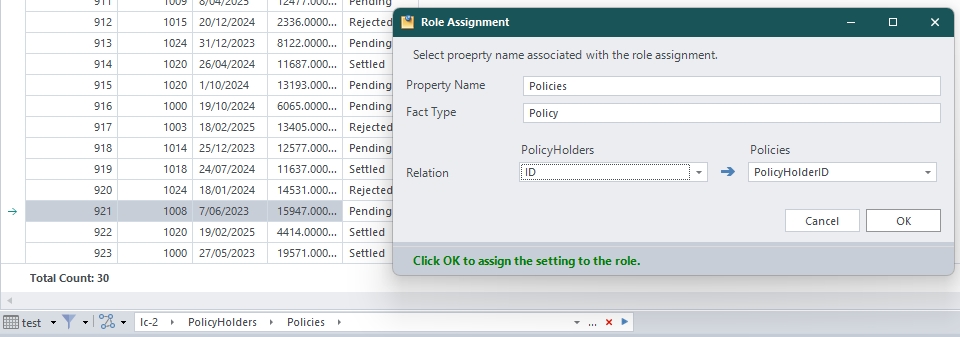
Once you finish Role Assignment, then you can save the Fact Concept as follows.
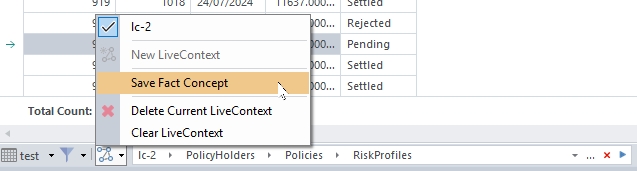
Then the Fact Concept logic document will be created as follows based on your role assignment.
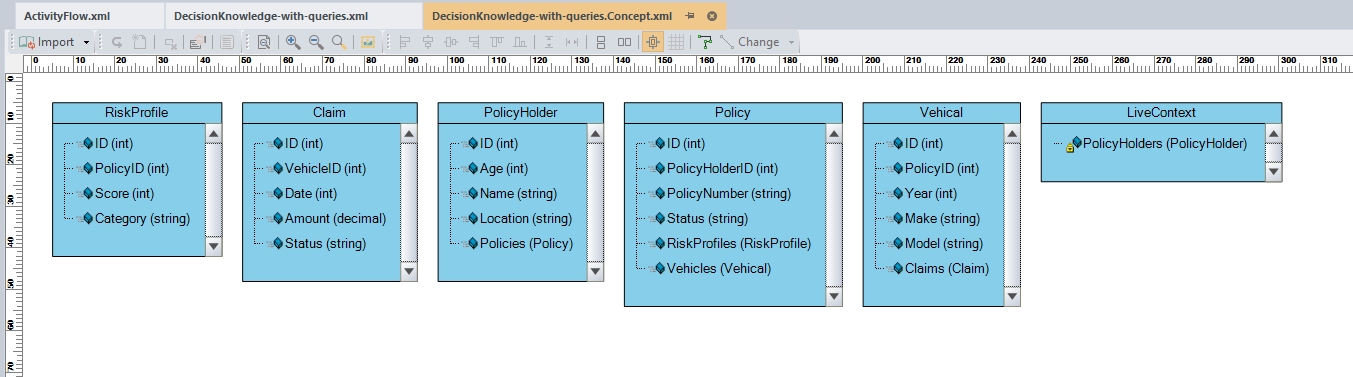
Use Shell to play with LiveContext
When you have a LiveContext inside the DecisionKnowledge, you can send the LiveContext to the Shell window to try out different querries.

Querying Collections
LiveContext querying is fully based on DecisionLang.
Any DecisionLang expression that returns a collection can be followed by a query:
CollectionExpression[ QueryExpression ]
Both the collection expression and the query expression are valid DecisionLang. These collection expression and the query expression are explained below.
Basic Navigation
LiveContext is navigated using paths:
lc.PolicyHolders
lc.PolicyHolders.Policies
lc.Orders.Items
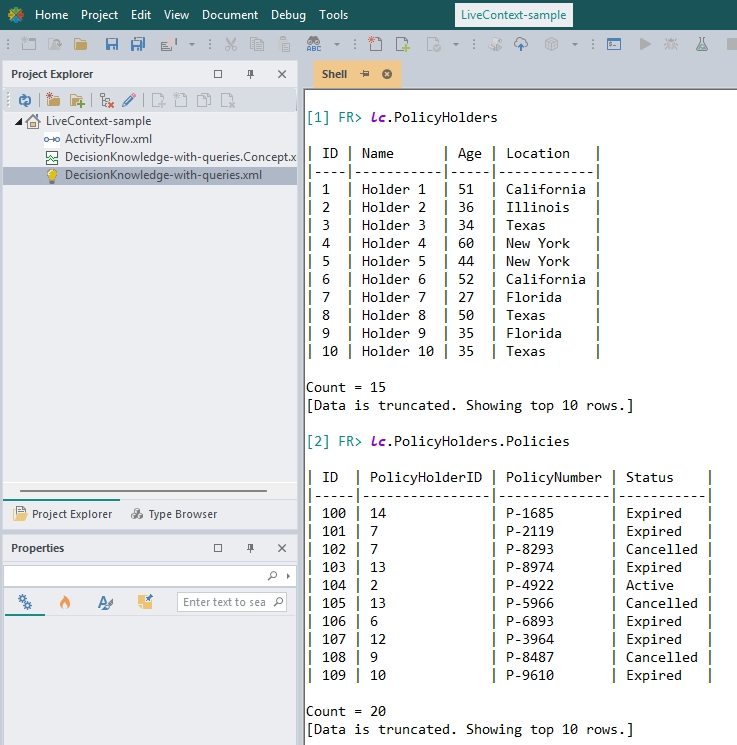
Each navigation step follows relationships defined in LiveContext.
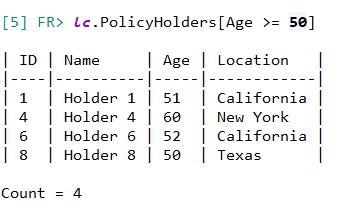
If a path resolves to a collection, you can apply a query:
lc.PolicyHolders[ ... ]
Filter Expressions
Inside the brackets, you write a standard DecisionLang expression.
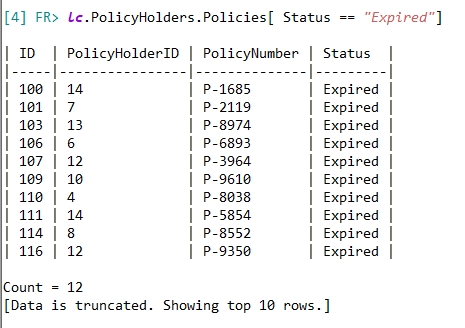
Equality must use: == or is
Inequality must use: !=
Supported Comparison Operators
==!=><>=<=
Logical Operators
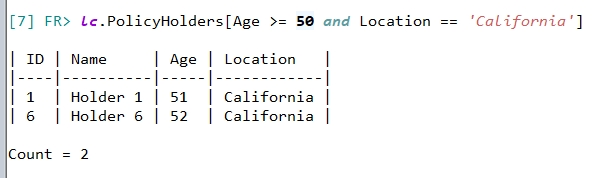
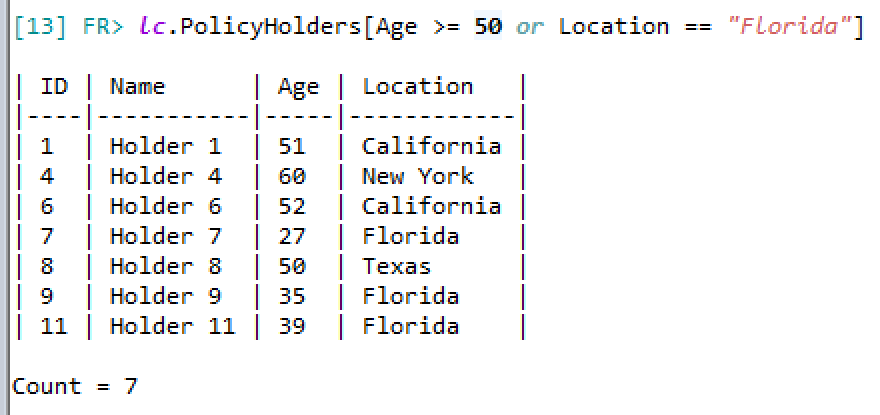
You can use and or or operators.
Null Checks
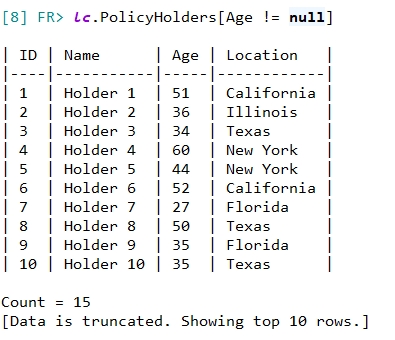
Field == null Field != null
Query Options
In addition to filter conditions, you can define Query Options inside the same brackets.
Query Options control:
- Sorting
- Paging
- Top
Sorting
Sorting is defined using:
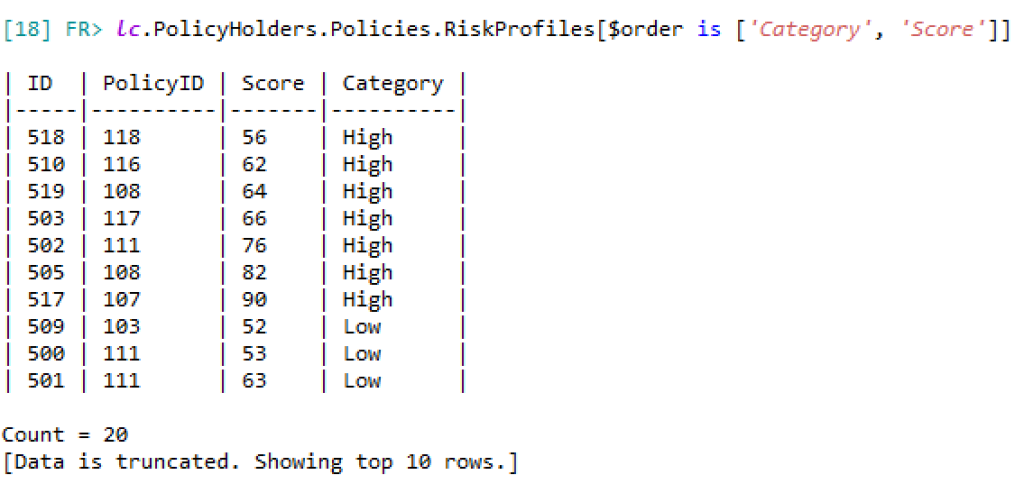
$order is ['ColumnA', 'ColumnB']
Columns are evaluated from left to right as priority.
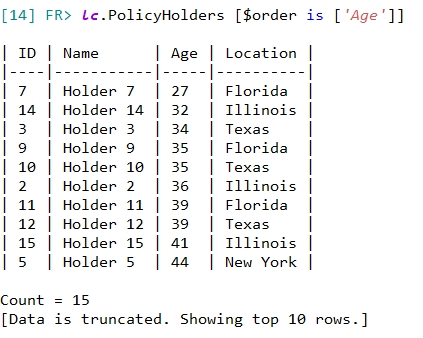
Multiple columns:
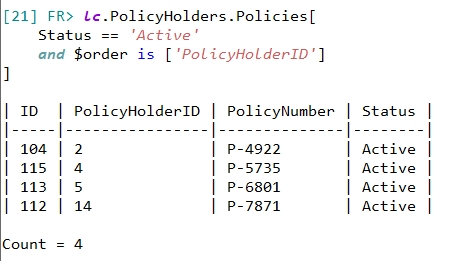
Sorting can be combined with filters:
Rules:
- Applies only to collections
- Only one
$orderper query
Paging
Paging is defined using:
$page in [start..limit]
Where:
startis a zero-based indexlimitis the desired number of rows
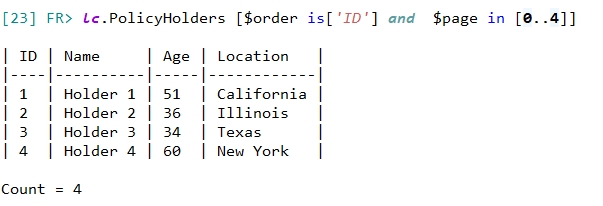
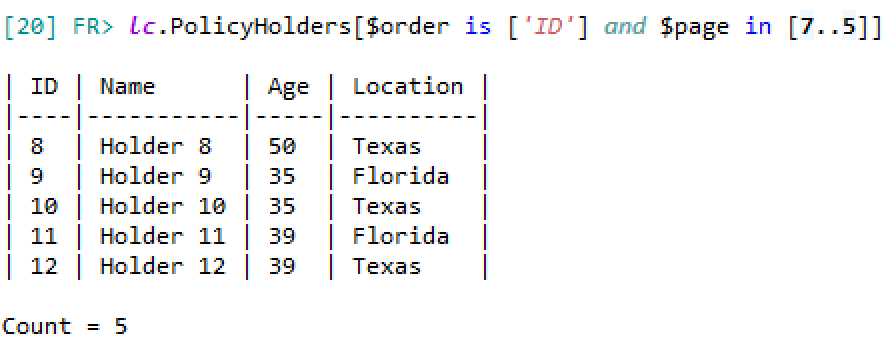
The above examples could be read as “return 4 rows starting at row-index 0” and “return 5 rows starting at row-index 7“, respectively.
Rules:
- Applies only to collections
- Required to use
$orderbefore paging - Only one
$pageper query - Cannot be used together with
$top
Top
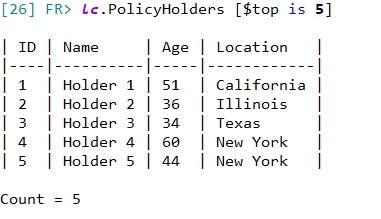
$top returns a limited number of records from the top of a collection.
$top is {a number}
The number can be either:
- integer values
- decimal values
Rules:
- When an integer number is used, it is translated to the top N rows of the dataset, returning that number of rows.
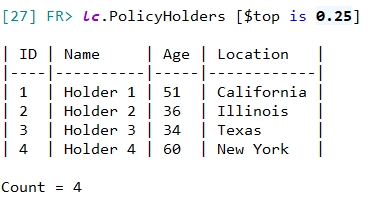
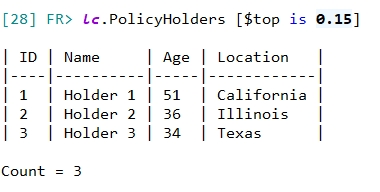
- When a decimal number is used, it is interpreted as a percentage of the dataset, returning that percentage of rows from the total number of results.
$topis applied after filtering and ordering. Execution order:- Filter
- Order
- Top
$topcannot be used together with$page.- It is recommended to use
$toptogether with$order.
Examples:
Return top 5 rows:
Return top 25 percent of rows:
Return top 15 percent of rows:
Navigation Across Related Collections (Join Behavior)
When you navigate from one collection to another:
lc.PolicyHolders.Policies
LiveContext automatically applies the relationship between them.
This behaves like a join, but you do not write join logic manually.
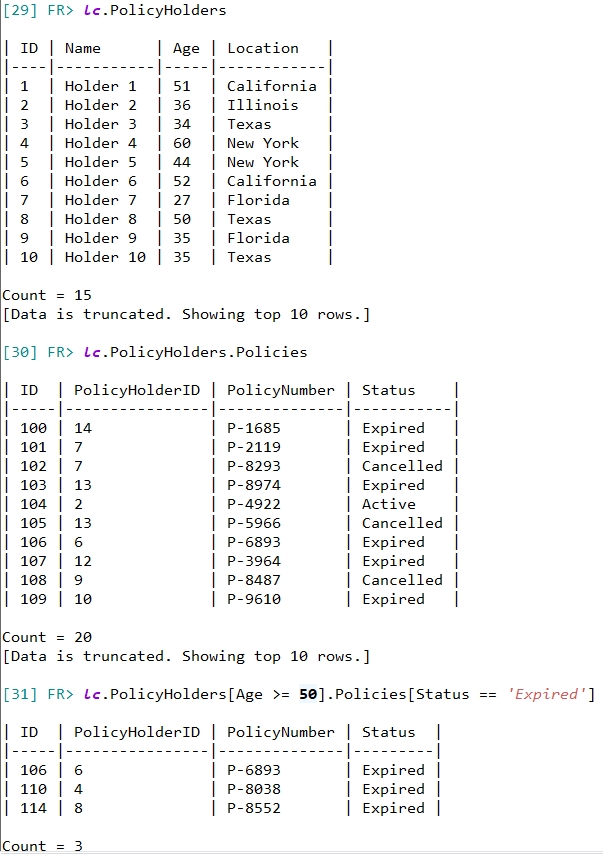
- First filter PolicyHolders where
Age >= 50 - Then navigate to their related Policies
- Then filter those Policies where
Status == 'Expired'
The second filter automatically applies only to the related Policies of the already filtered PolicyHolders.
You do not need to write join conditions. The relationship is defined in LiveContext.
Each bracket applies only to the collection immediately before it.
Execution Order
For any collection query, the order of any expression queries is executed in the following order:
- Apply filter conditions
- Apply sorting (
$order) - Apply paging/top (
$page/$top)
Then, when applied in conjunction with navigating across related collections:
- Parent collection is evaluated first
- Child collections are automatically restricted by the relationship
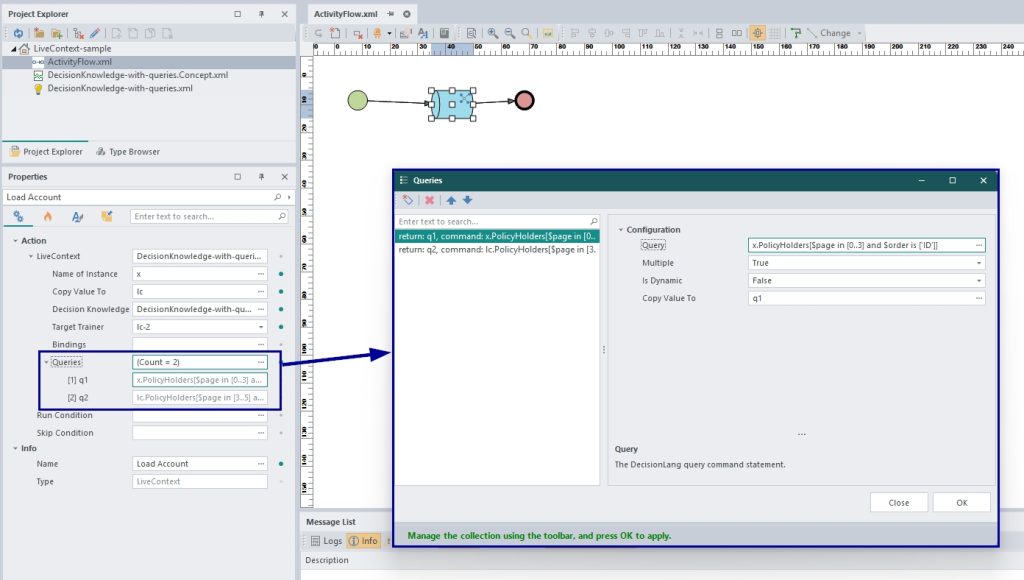
Use LiveContext in the Activity Flow
You can use the same queries inside the LiveContext node in the Activity Flow.
Examples
The following examples will highlight why you might want to use LiveContext, and how it could be used.
Scenario 1 – Single-Use Queries and Joins
Avoid writing SQL Joins for queries with very specific conditions/parameters spanning multiple tables. These are the kinds of queries you will use only once, never save or use again.
For a database with a small number of tables or fields, this might not be an issue, but what if your query spans across more tables, more fields, more conditions…more joins?
Let’s compare what you would need to write in SQL vs. using LiveContext for the following query searching for:
- Policy holders of age 30 or older,
- With policies that are not cancelled,
- Covering Toyota or Honda vehicles made after the year 2006,
- Which have claim amounts greater than or equal to $5500,
- With all results ordered by earliest claim date to latest.
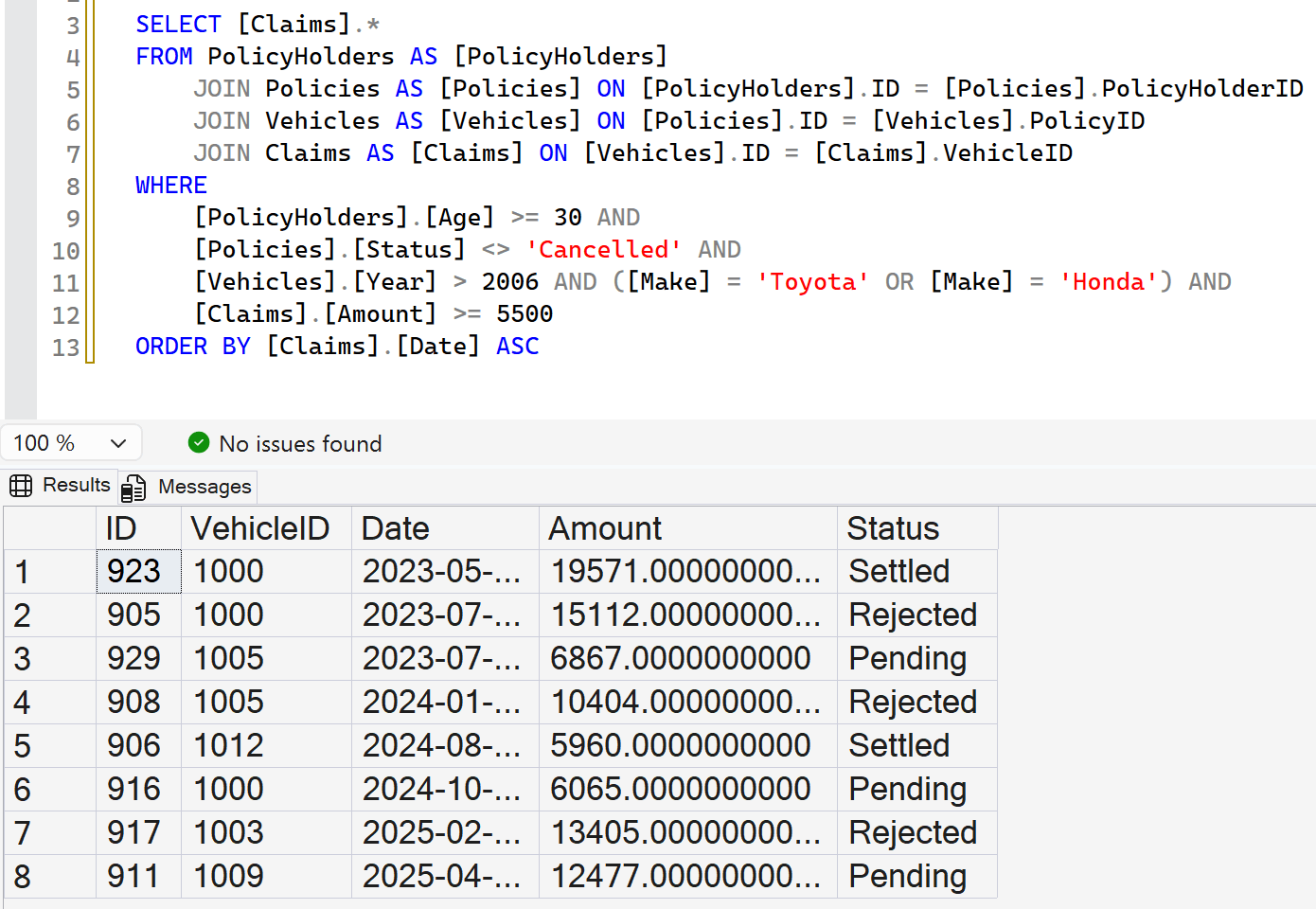
Not the most annoying query to write once in a while. On the other hand, the query written when using LiveContext is just so effortless in comparison.

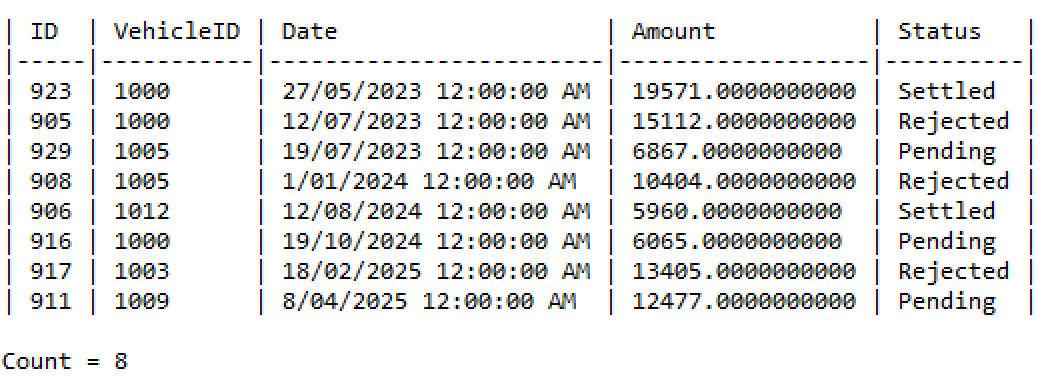
Avoid joins, write your queries in DecisionLang and execute them with LiveContext.
Scenario 2 – Risk Hotspot Analysis of Policy Holders
This example uses a database that contains insurance claim data across several states in the US. It is likely that an analysis to identify regional risk hotspots by comparing geographic and demographic data would be conducted on this or similar datasets.
You can compare some of the SQL and LiveContext queries that may be used to accomplish that, below:
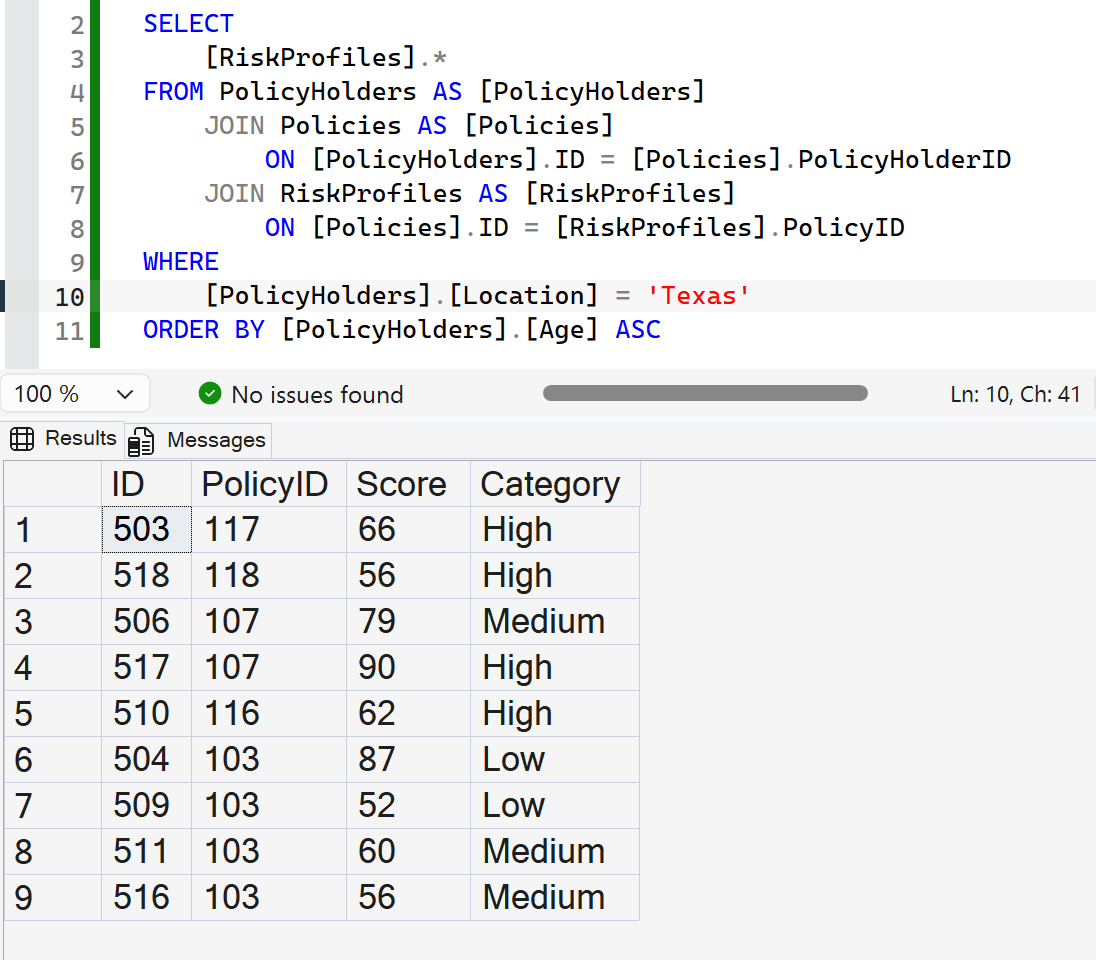
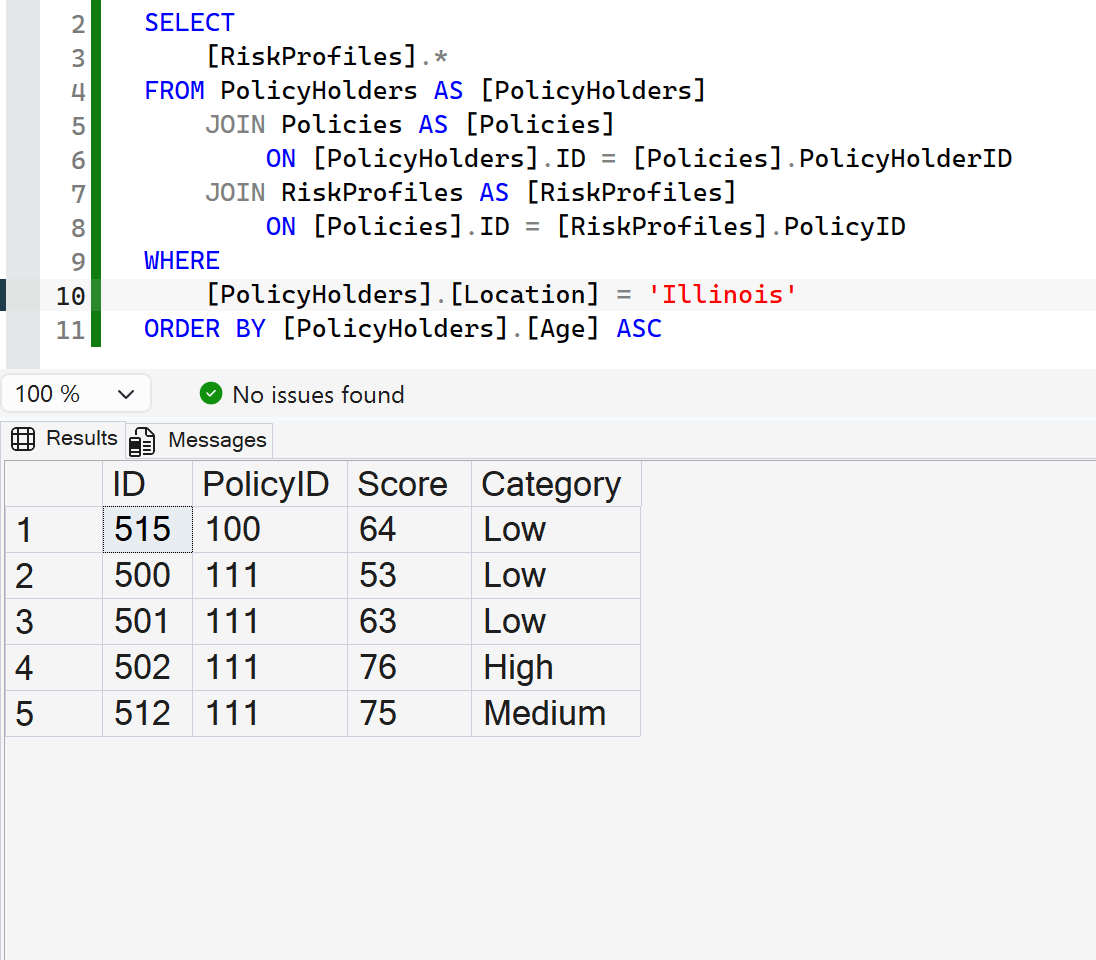
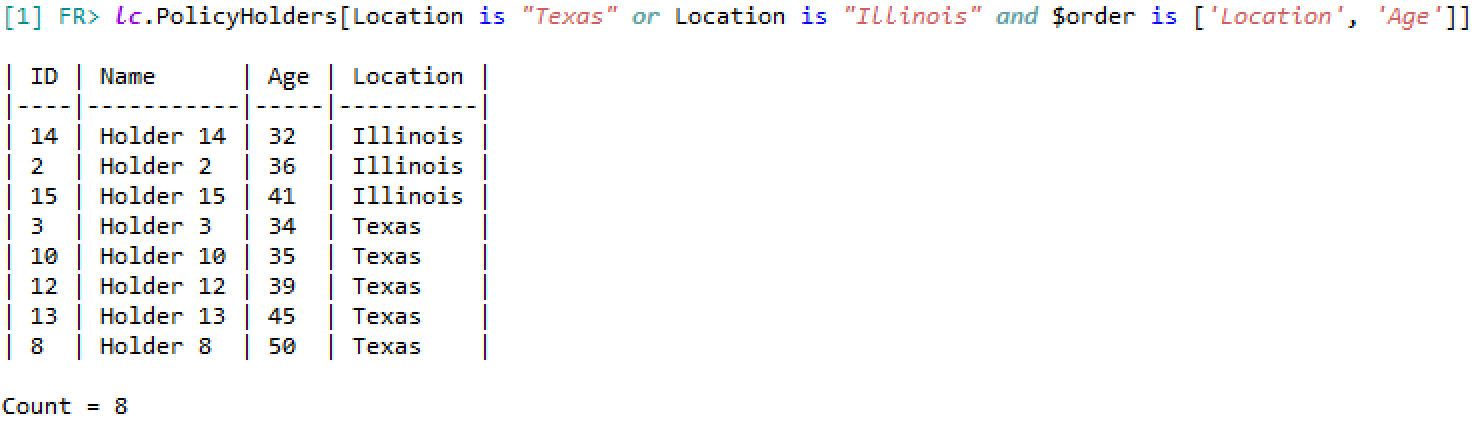
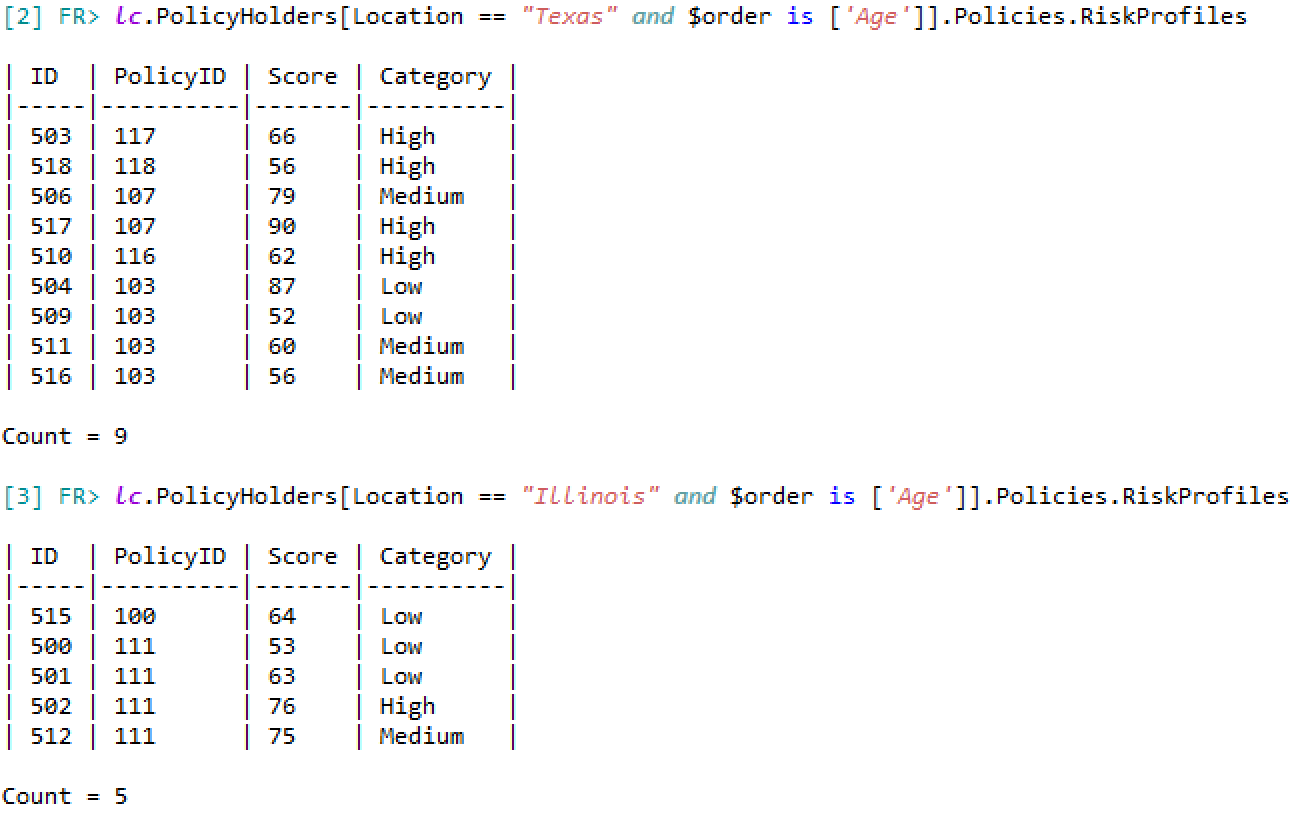
Using either SQL or LiveContext, you can come to the same conclusion from queries: “From this dataset, it can be concluded that Texas has a higher number of younger drivers with a high risk-score than the younger drivers in Illinois”.
Although both sets of queries can get you to the right answer, which of the two query sets would be easier for readers, regardless of their fields, to understand at a glance?
Scenario 3 – Executing Multiple Queries with Dynamic Locations
The following example demonstrates how LiveContext queries can be executed dynamically. It is highly likely that the queries used for analyses will be identical, aside from changing one or more condition options (i.e. Location Texas -> Florida, or Age is 25 -> 45).
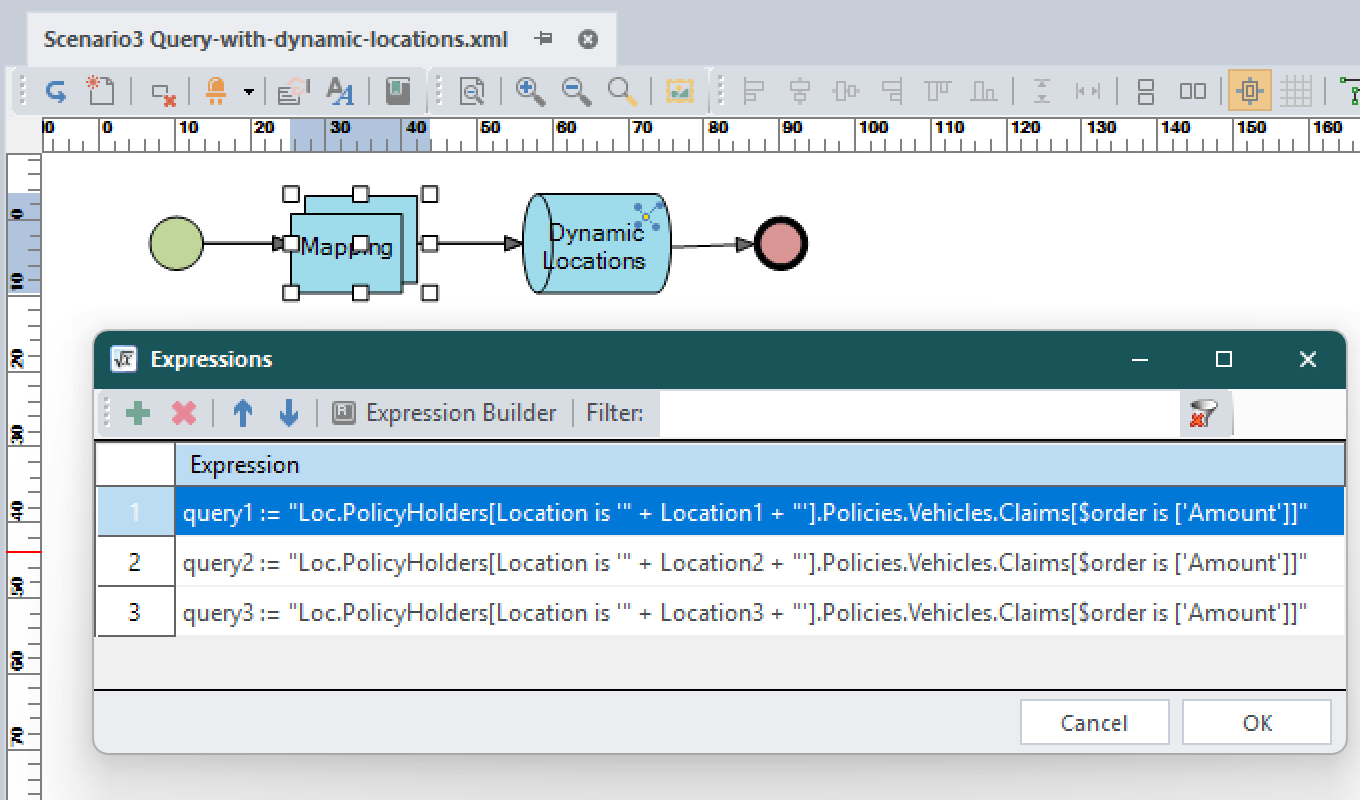
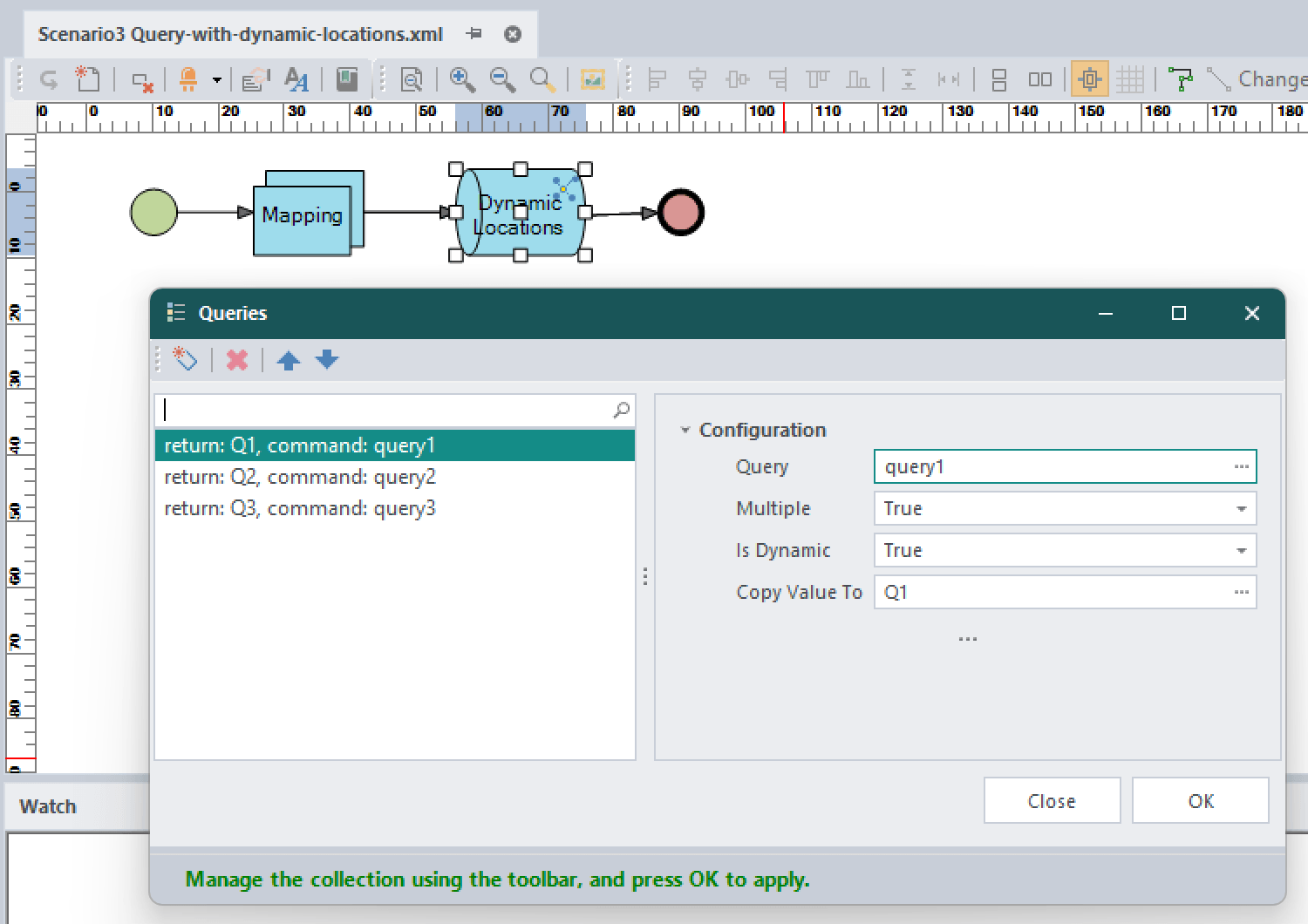
The images below show a simple series of nodes in an Activity Flow logic document. The Mapping node maps 3 input locations and executes the same query across them, providing a fast, dynamic way to analyse a dataset with different variables.
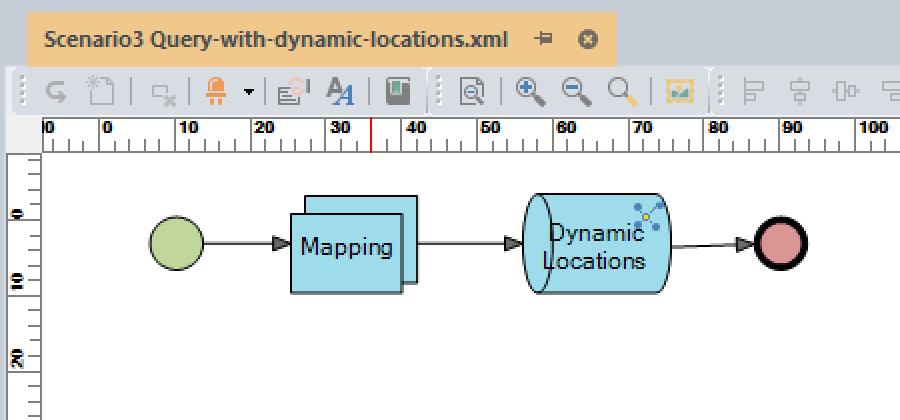
Mapping the different locations to separate queries to be executed in the following node.
The LiveContext node with three dynamic queries, accepting the string parameters mapped by the previous node.
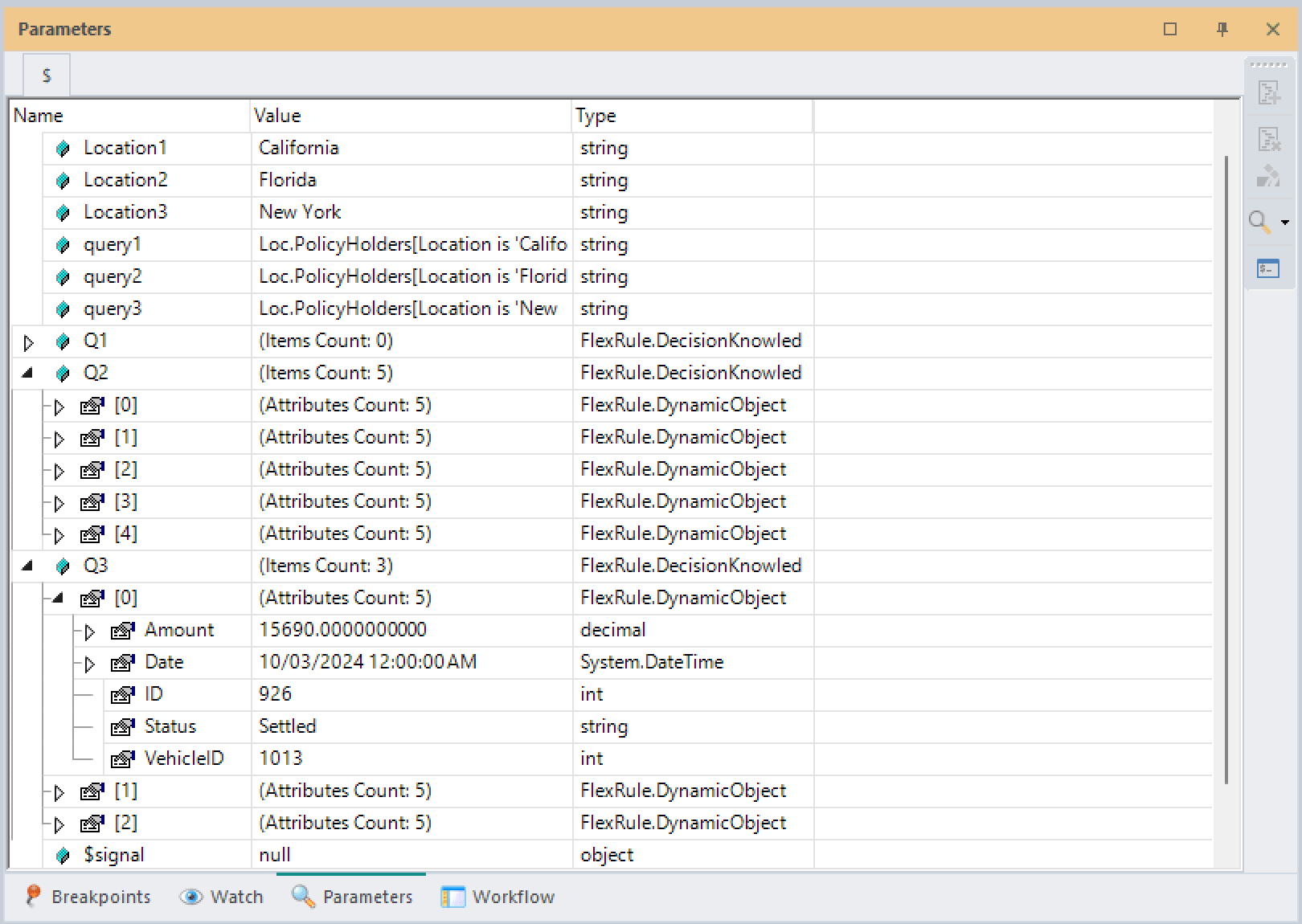
The parameters Q1, Q2, and Q3 are copies of the results received from their respective queries.
Only a small subset of LiveContext’s capabilities can be demonstrated when applied to a limited dataset. If you would like to explore more of what LiveContext and DecisionLang can do for you and your data, experiment with the sample project provided below!
Sample Project
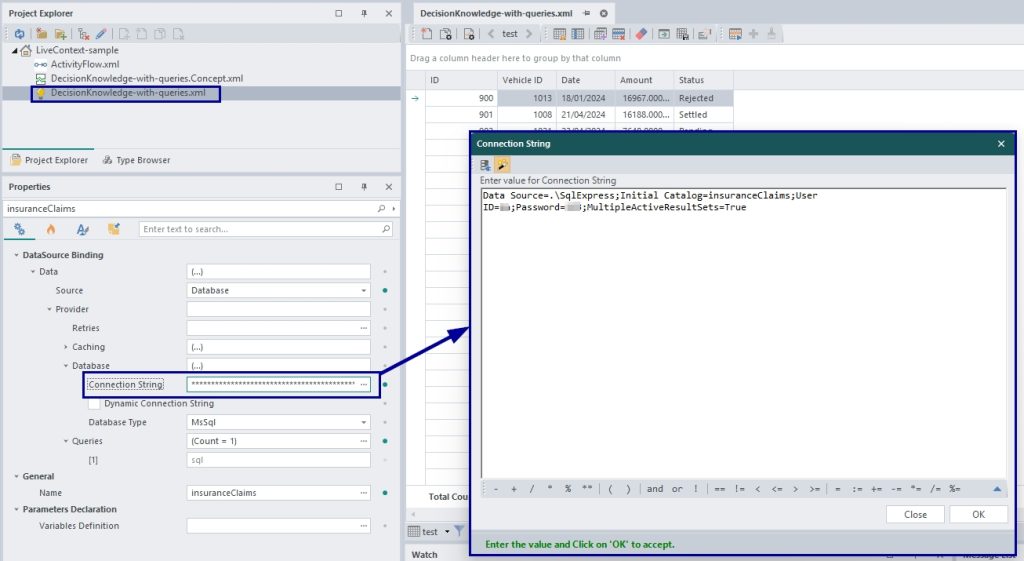
You can use the attached sample project to try the LiveContext examples. The attached project also includes the database script for the model. Make sure to use that script to create the database on your local, and modify the connection string according to your database connectivity as follows.