
◷ Reading Time: 3 minutes
You can insert or update multiple values in a table using the database node in a Flow.
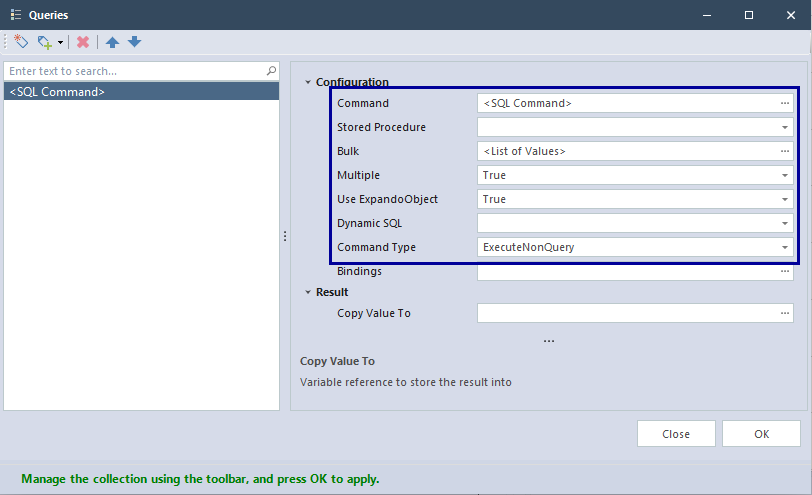
The following options need to be used.
- Bulk: You can use,
- a list of values
- a variable that holds a list of values
- an expression to generate a list of values
- Command: The SQL command to insert/ update/ delete values
Insert
Multiple values can be inserted into a table as follows.
Insert Example
We have predefined a variable called value list with the list of values, we want to insert into a table.
value list =
[
    {
        "Id" : 1,
        "AssetStatus" : "queued"
    },
    {
        "Id" : 2,
        "AssetStatus" : "queued"
    },
    {
        "Id" : 3,
        "AssetStatus" : "queued"
    }
]
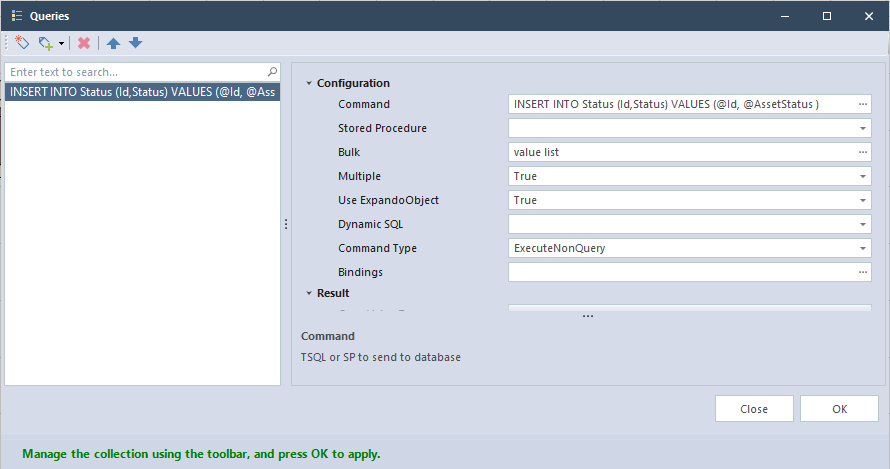
Bulk:
value list
Command:
INSERT INTO Status (Id, Status)
VALUES (@Id, @AssetStatus)
This will insert the list of values (Id and Status) defined in value list into Status table.
Update
Similar to the Insert statement, you can use the bulk option to update your table as follows.
Update Example
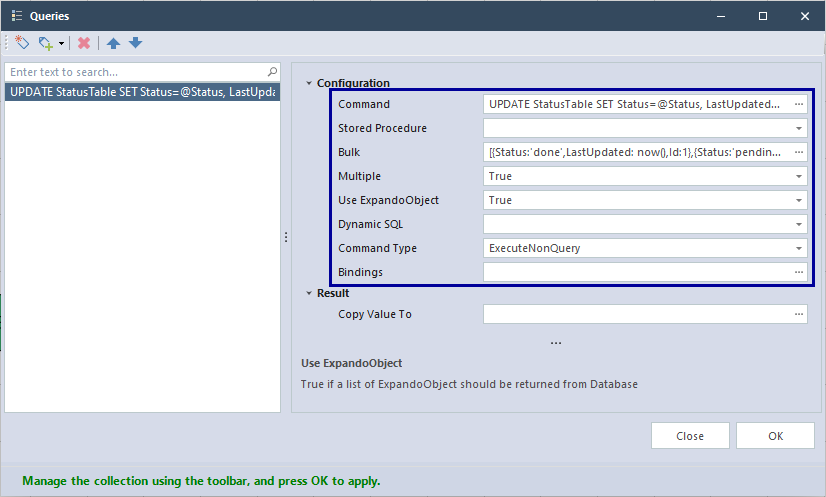
Bulk:
[
	{
		Status:'done',
		LastUpdated: now(),
		Id:1
	},
	{
		Status:'pending',
		LastUpdated: now(),
		Id:6
	}
]
Command:
UPDATE StatusTable
SET Status=@Status, LastUpdated=@LastUpdated
WHERE Id=@Id
In the StatusTable Table, the Status and LastUpdated values of Id=1 and Id=6 rows will be updated as stated in the list.
Delete
You can delete multiple rows.
Delete Example
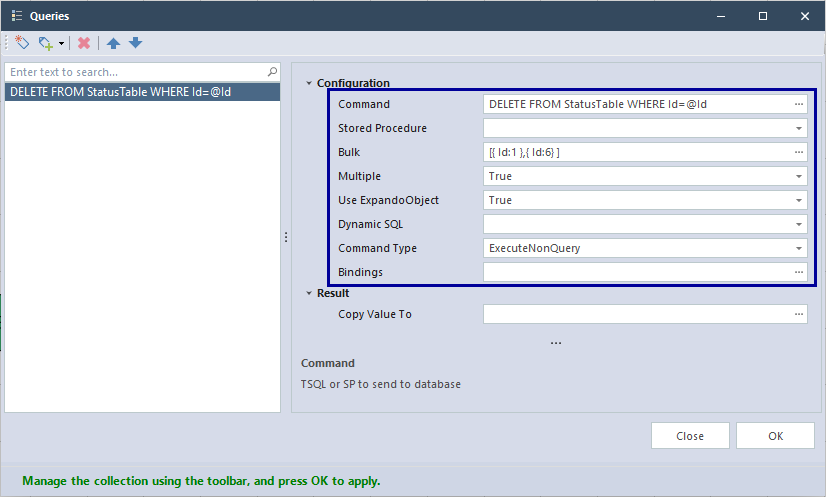
Bulk:
[
	{
		Id:1
	},
	{
		Id:6
	}
]
Command:
DELETE FROM StatusTable
WHERE Id=@Id
It will delete two rows from StatusTable where Id is 1 and 6.