
◷ Reading Time: 3 minutes
In FlexRule Designer, you can execute a Booklet against a specific Logic document. Then, you can return the results to the Booklet and Analyze them.
The binding between a Booklet as an input to a logic document should be defined via a references parameter. This can be done by creating a Scenario.
Create a Scenario
Open a Booklet document and navigate to Properties -> Scenarios
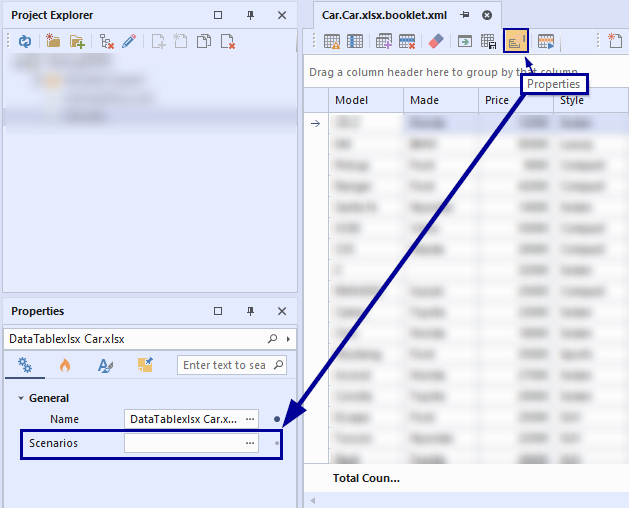
Create a new Scenario by clicking the following icon.
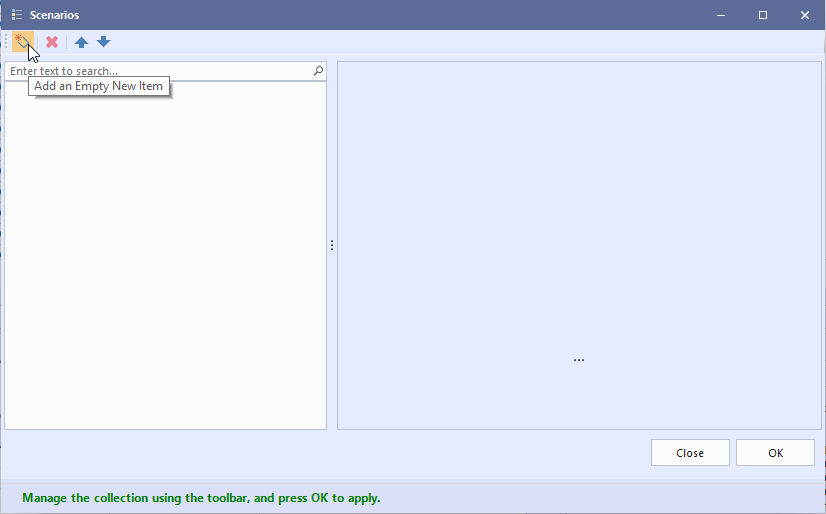
- Name: Name the Scenario
- Description: Explanation of the specific Scenario
- Row Name: Name of the single row of data to be referenced in the parameters binding
- Binding Logic Document: Select a Binding logic document.
- Parameters: List of names and values to be passed on a call as input parameters
Example:

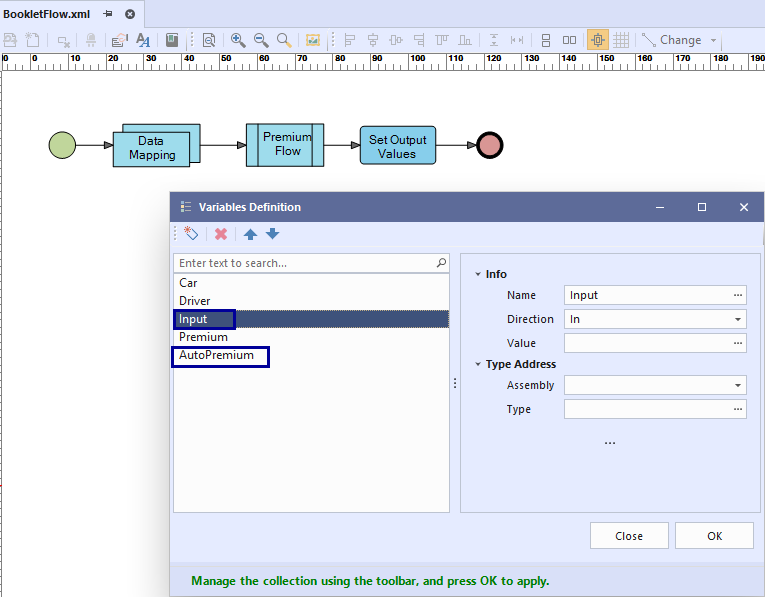
This parameter called “Input” will be sent to the specified binding logic document( in this example, “BookletFlow.xml”) as an input that includes data in a single booklet row at a time.
In the binding logic document, there should be an input parameter to accept the data from Booklet(in this example, “Input”) and output parameters to return the results back to Booklet (in this example, “AutoPremium”).
Run Scenario
You can run the created Scenario to analyze the data inside the Booklet.
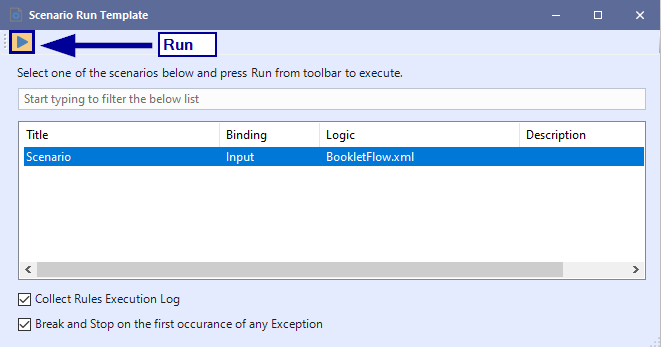
Click the “Run Scenario” icon in the Booklet toolbar.

Then select the Scenario and click Run.
Results in Booklet
After a successful run, the respective output parameter values are found in the Booklet data in respective rows.

If you set up the Metrics Collectors, you can find the related data in the Booklet.