
◷ Reading Time: 6 minutes
This sample project demonstrates how to automate error analysis, categorization, and escalation with recommendations by using FlexRule’s Decision Automation capabilities. The scenario is based on processing error logs within a database table and notifying responsible parties with recommendations.
Scenario Overview
Organizations often face a large volume of system error logs, which is hard to analyze and take action on manually. In this scenario, users can define a date range as input, extract relevant stack traces from a database table, categorize errors, assess severity, assign recommendations, and then send suggestions to the appropriate teams.
Solution
Step 1: Data Extraction
- Inputs: A user provides a date range (
from–to) as an input to the model. - Action: The database node executes a SQL query to retrieve all matching stack traces as a list from the ServiceErrors table, each containing a detailed error message.
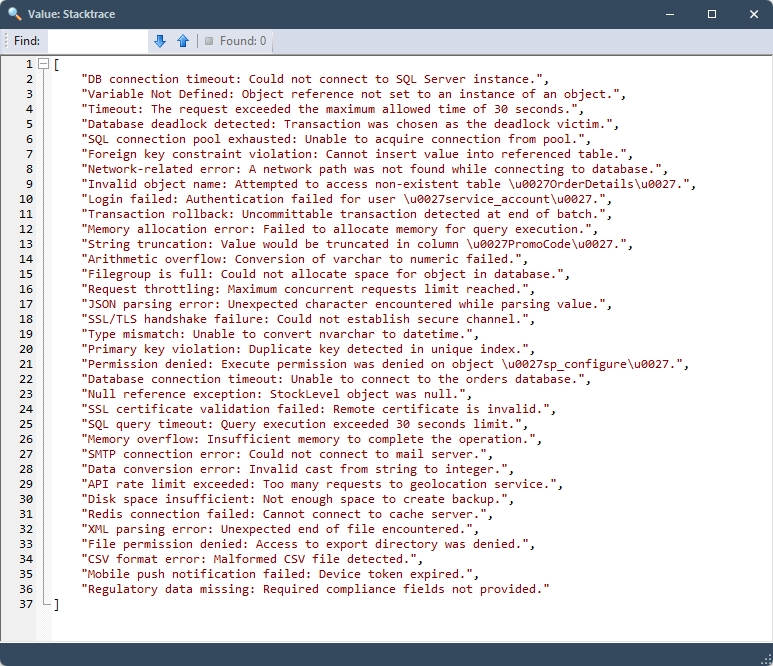
Step 2: Initial Error Categorization
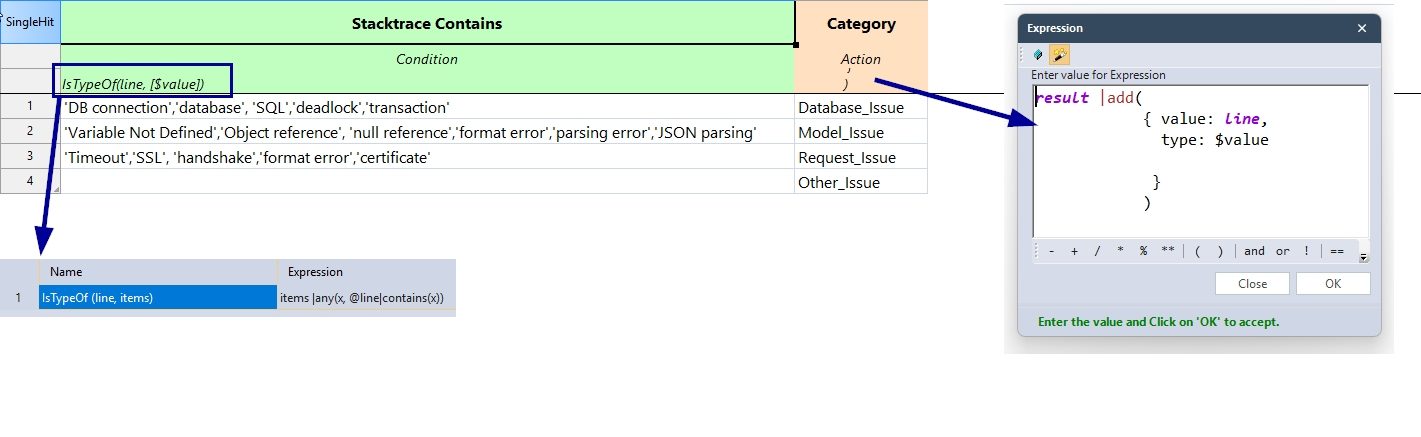
During this step, the stack trace list is passed to a Decision Table that iterates through the list by:
- Looking at the
value(the stacktrace message) for special keywords or patterns that are tied to each error category (such as terms like “DB connection” forDatabase_Issueor “null reference” forModel_Issue). - If a stack trace contains any of the category’s keywords, it is categorized accordingly.
- The function used in the expression, created in a separate was Business Formula
- If no matching keywords are found in the stack trace, it is assigned the default category of
Other_Issue. - Then an output object is created for each error with:
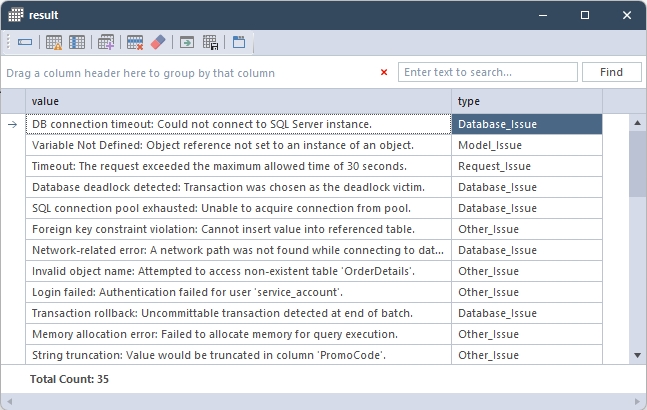
value: the stack tracetype: assigned error category
The result object is as follows at the end of this step.
Step 3: Grouping and Counting Errors
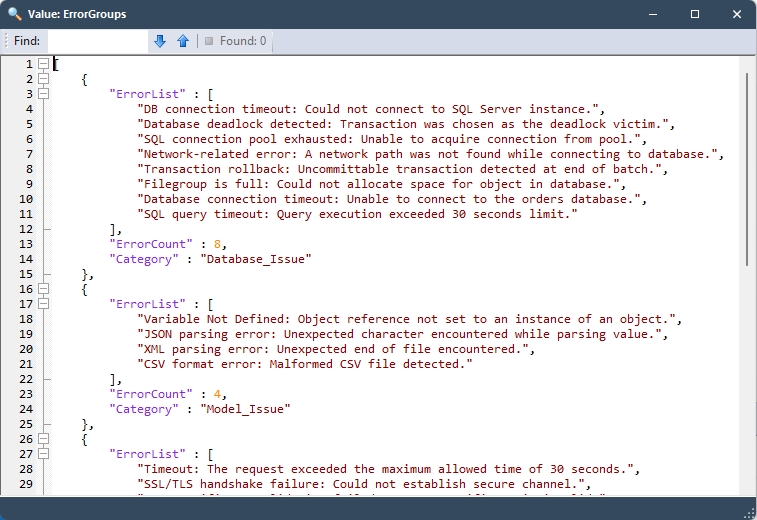
In this step, errors are grouped by Error Type, and then for each type, an object is created with:
ErrorList: all stack traces of that categoryErrorCount: the number of errors in the groupCategory: error type
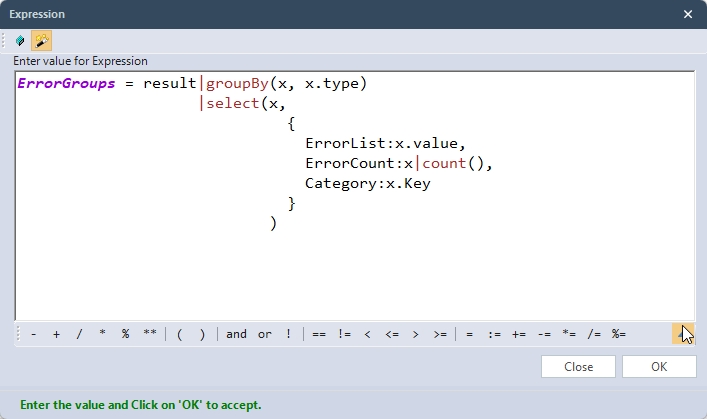
The ErrorGroups collection is as follows at the end of this step.
Step 4: Severity Level and Recommendations
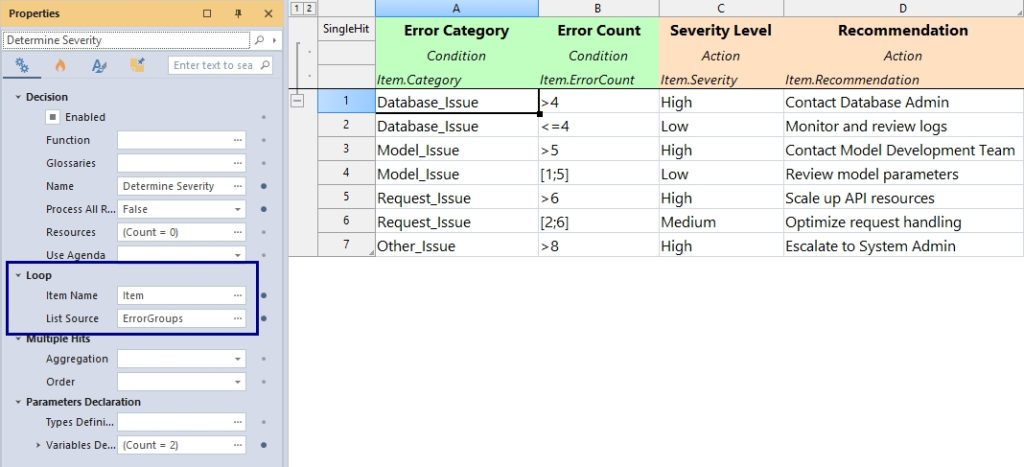
- A second Decision Table iterates over each grouped error object.
- Based on the
CategoryandErrorCount, it determines:Severity(High, Medium, Low)Recommendation(e.g., Contact Database Admin, Monitor logs)
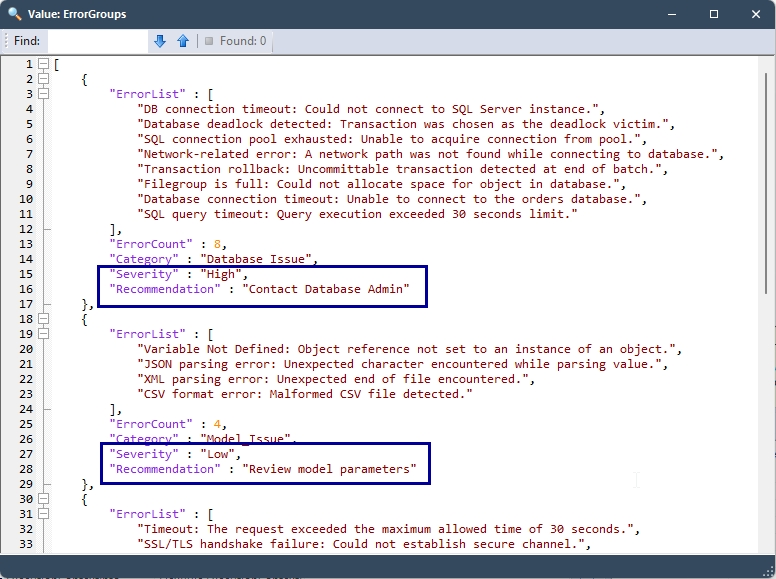
- It also enriched the ErrorGroup object, which contains:
ErrorList,ErrorCount,Category,Severity, andRecommendation.
Example Output Structure:
Step 5: Automated Email Notifications
- The resulting
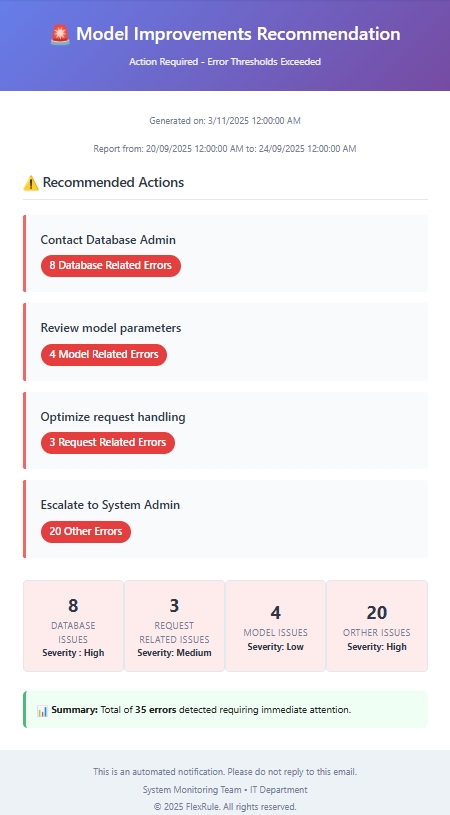
ErrorGroupscollection is used to generate notification emails. - In the Email Notification node, you can use parameterized values to create dynamic email content in HTML format. And also multiple recipients.
- The relevant party receives an email with details and recommendations for the specific error category.
Sample Email:
Step 5: Final Model
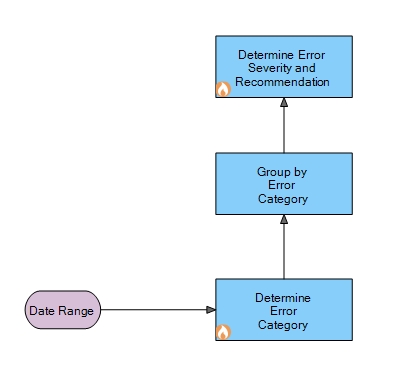
We can combine these decisions into a Decision Graph with an input node(Date Range) as follows.
Determine Error Category: This decision node has a pre-execution event for database connectivity.
Determine Error Severity and Recommendation: This decision node has post-event execution for the email notification.
Prerequisites
- This sample project requires a local database to run. The database script is attached to the project (Folder called DB).
- Once you create the database, you need to update the database connection string according to your database credentials.
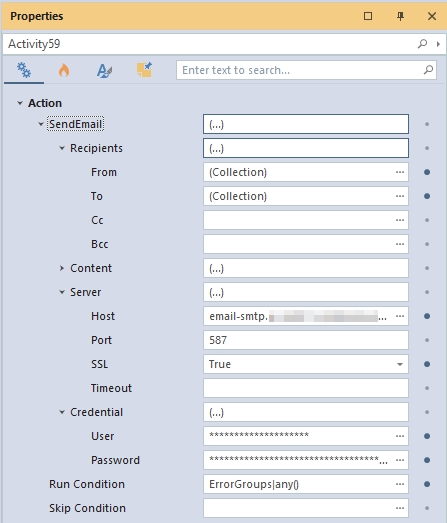
- To send email notifications, you need to update the email Recipients, server details, and credentials on the post-execution event at the “Determine Error Severity and Recommendation” decision node.
How to run the project
Open the file “Determine Model Improvement Recommendation.xml” and use the run template to run the model. Ensure you have all the necessary prerequisites.
Download the project
Use the attachment at the end of the page to download the sample project.