◷ Reading Time: 6 minutes
Legislation on income tax for artists visiting other countries can be complex, and there is a need for transparency. This project uses models built with the DMN extension to select an income taxation category for foreign artists performing in Belgium. This is based on the artist’s general income information, the organization they are with, and their timeframe in the country.
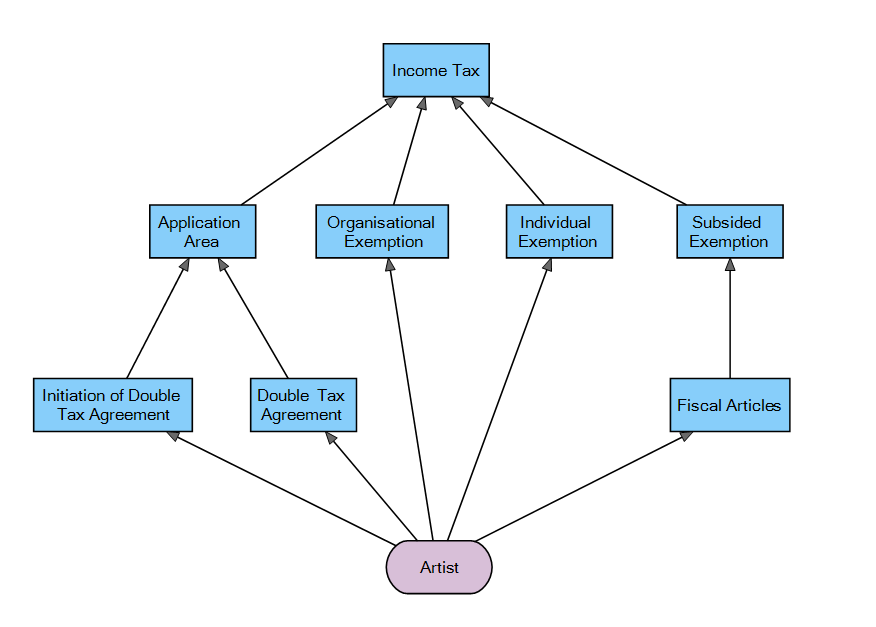
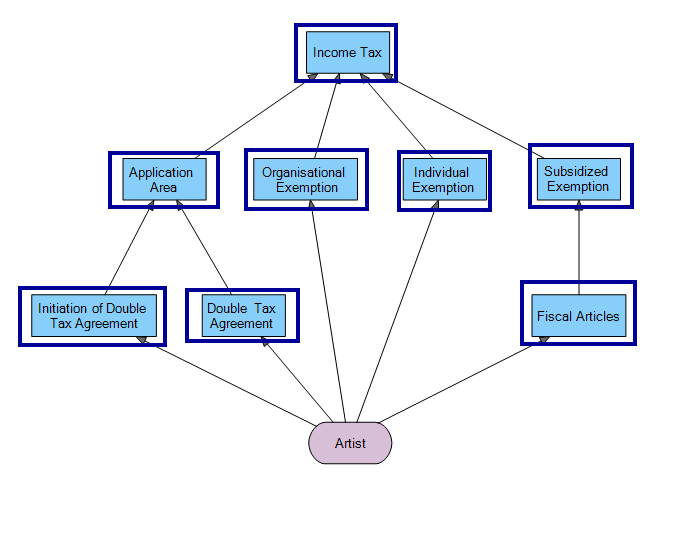
The project consists of a DRD with eight decision nodes that represent Decision Tables. Each decision table contains taxation rules for Belgium. The project is designed so that other countries can be added to both the country performed in and the artist’s origin country.
Running the Sample
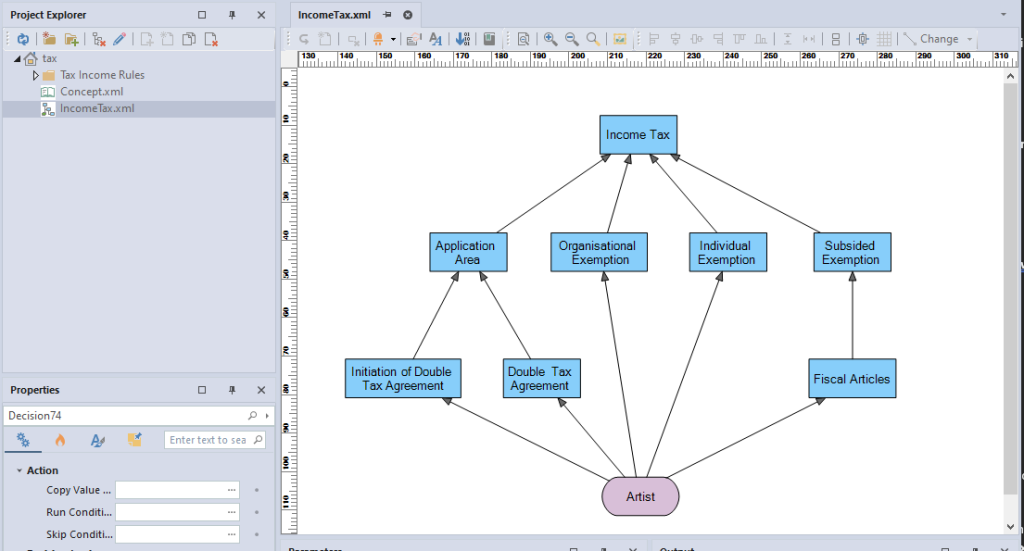
1. Open the DRD IncomeTax.xml
2. Click on Logic Run Template
3. Select the template: Artist Visiting from Germany – Partially Taxable
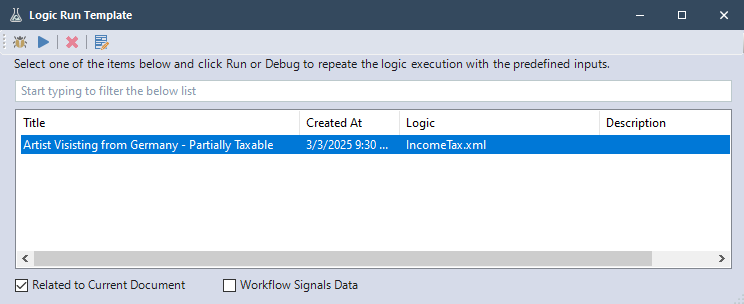
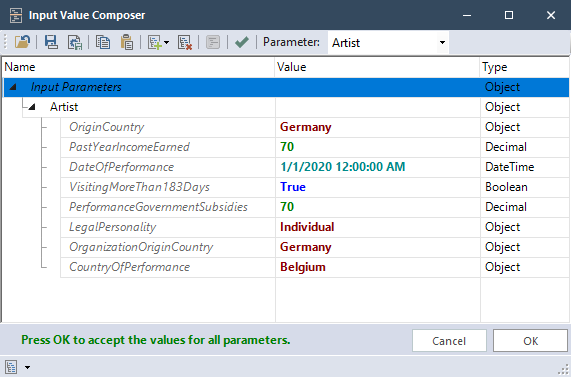
This template will use these input values:
4. Click Debug
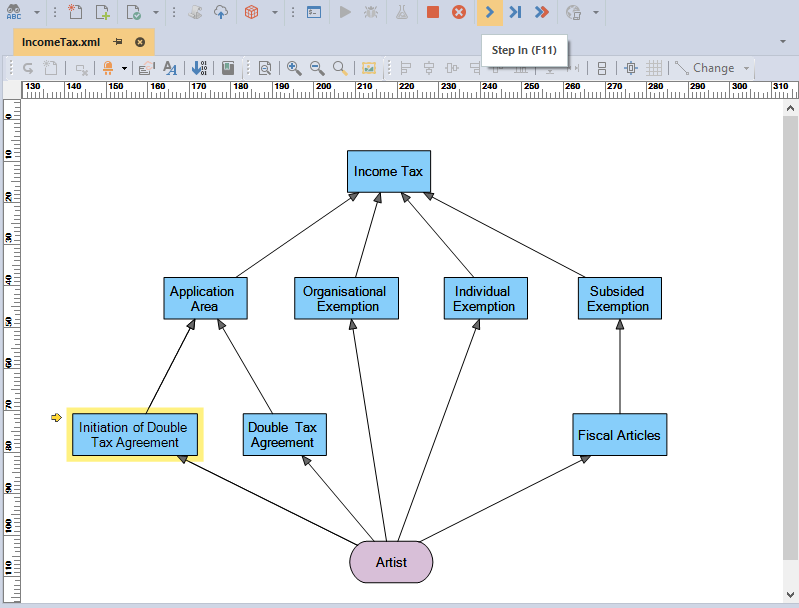
5. Click Step In to go step by step
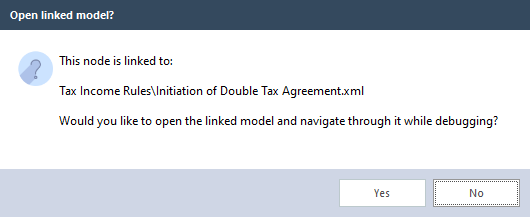
6. Select “Yes” when it asks to open the linked model, then continue to Step In to see which condition of the decision table is met.
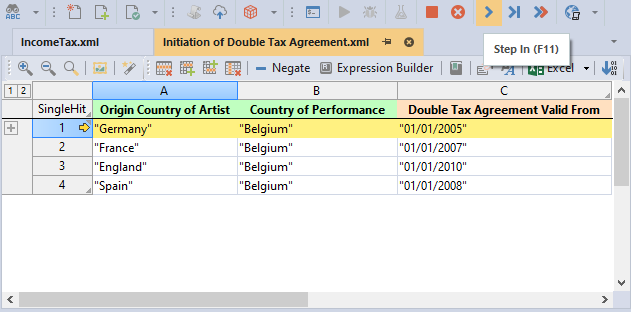
7. When a row is highlighted in yellow it is about to be executed, when green the condition has been met.
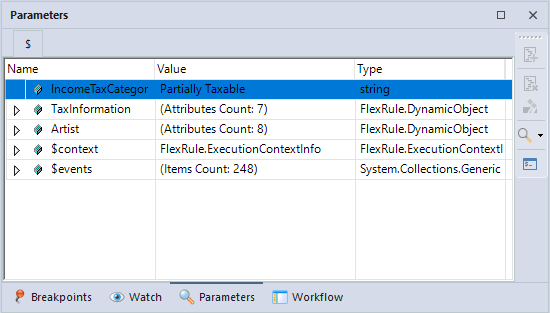
8. Keep stepping through until the final decision of the DRD and the project execution is finished. You will see the output under the Parameters window. The IncomeTaxCategory shows the tax category the artist falls under.
Categorizing Income Taxation for Foreign Artists – Process Steps
The process of this process consists of these main steps which coincide with the second level of decisions in the DRD decision hierarchy:
1. Application Area Decision: Determine if the Double Tax Agreement applies to the artist. This decision relies on the Initiation of Double Tax Agreement decision and the Double Tax Agreement decision.
2. Organizational Exemption Decision: Determines if there is a tax exemption based on the organization the artist is with. This is part of determining the category of tax income the artist is in like the other decisions in this project.
3. Individual Exemption Decision: Determines if there is a tax exemption based on the artist’s personal situation.
4. Subsidized Exemption: Determines if funding is provided to the artist’s organization by the government, this relies on the Fiscal Articles decision.
5. Income Tax Decision: after those four decisions calculate information, that information can be used in the final decision table to output the artist’s income tax category.
Project Description
The Selecting Hiking Gear project contains the following files:
DRD (Decision Requirement Diagram)
- TaxIncome.xml: Main file of the project with an input node for the artists attributes and a hierarchy of all decisions to be made.
Decision Tables (within the Tax Income Rules folder)
- Initiation of Double Tax Agreement.xml
- Double Tax Agreement.xml
- Application Area.xml
- Organizational Exemption.xml
- Individual Exemption.xml
- Fiscal Articles.xml
- Subsidized Exemption.xml
- Income Tax.xml
- Concept.xml:
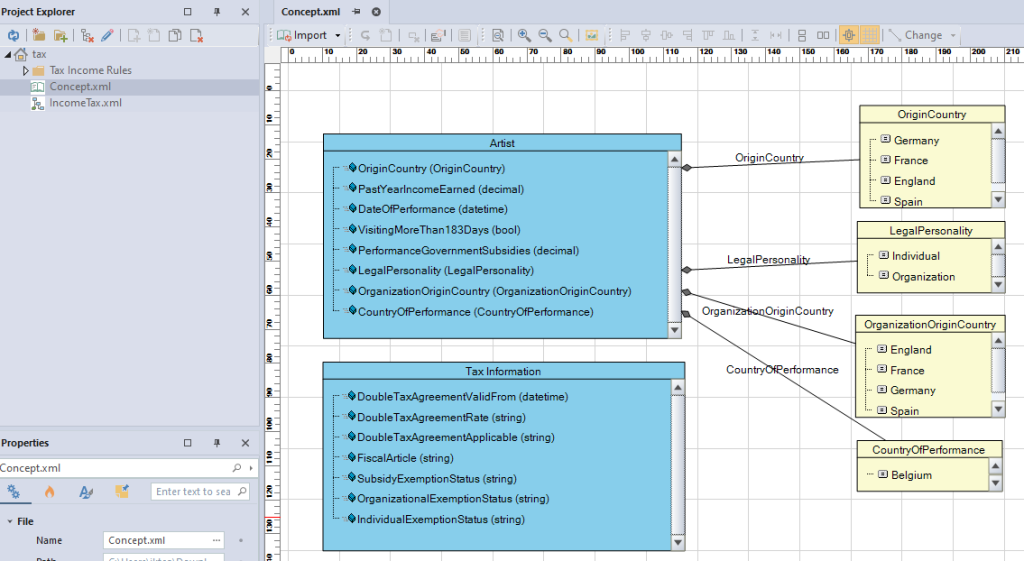
Creates the Artist input parameter with the attributes:
OriginCountry(option), PastYearIncomeEarned(decimal), DateOfPerformance(datetime), VisitingMoreThan183Days(bool), PerformanceGovernmentSubsidies(decimal), LegalPersonality(option), OrganizationOriginCountry(option), CountryOfPerformance(option).
Also contains the Tax Information parameter which holds information collected while the project is running:
DoubleTaxAgreement(datetime), DoubleTaxAgreementRate(string), DoubleTaxAgreementApplicable(string), FiscalArticle(string), SubsidyExemptionStatus(string), OrganizationalExemptionStatus(string), IndividualExemptionStatus(string)
The Design
Income Tax.xml has eight decision nodes.
The Artist input node takes in the parameter Artist which is defined in the fact concept.
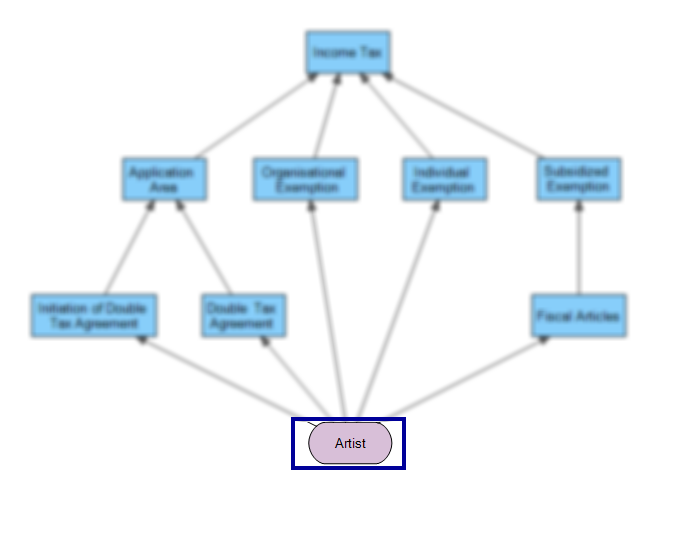
Each decision node is associated with a decision table within the Tax Income Rules folder.
Concept.xml creates the artist input which has four options associated with it.