
◷ Reading Time: 8 minutes
This project aims to automate the scheduling vessel surveys based on specific rules and regulations defined by a regulatory body.
The project will involve:
- Retrieving Vessel Details: Fetching relevant information about vessels from an API.
- Calculating Survey Due Dates: Applying specific rules and formulas to determine the due dates for various survey types based on factors such as vessel type, class, and historical data.
- Generating Survey Schedules: Creating detailed schedules outlining the required surveys and their due dates.
- Publishing Survey Schedules: Sharing the generated schedules with relevant stakeholders, such as vessel owners and operators to a REST API.
Business Formulas
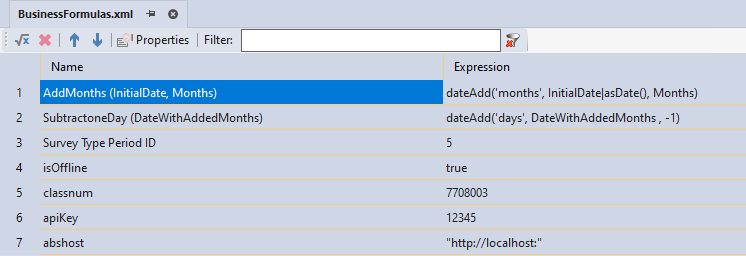
In this project, we have used a few literal values and some formulas throughout. Literal values will be used to save some parameters for API calls, and Formulas will be used to calculate due dates for vessels. These enable the reusability of formulas and parameters across different logic documents.
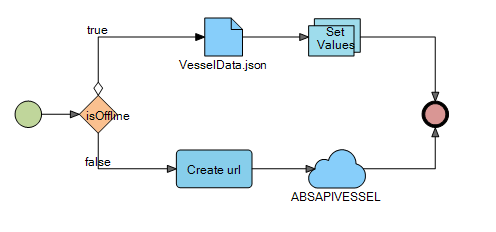
Get Vessel Data
Retrieving vessel Data from an API or a local JSON file is based on the preset parameter “isOffline” in the Business Formula.
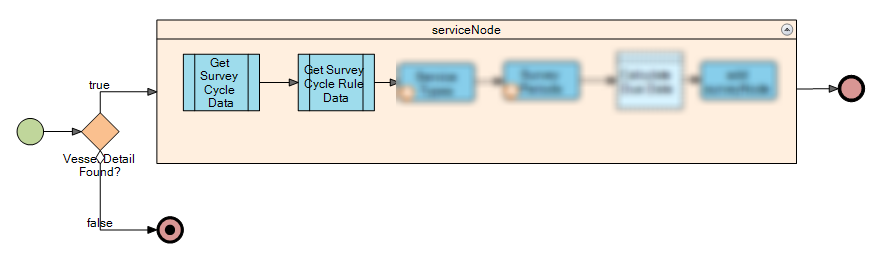
Calculate and Project Necessary Cycles
The vessel data response in the previous step will be a collection of vessels. We’ll need to loop through each vessel in this collection to access its specific details and perform necessary calculations.
In this step, we’ll again fetch data from two APIs/JSON files using vessel data retrieved earlier. The first API’s response will be used as input for the second API call. Finally, we’ll calculate the cycle interval months based on the combined data.
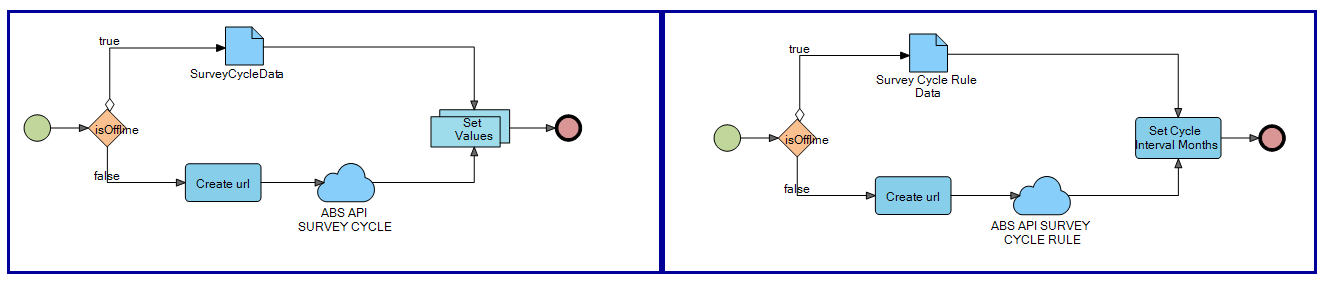
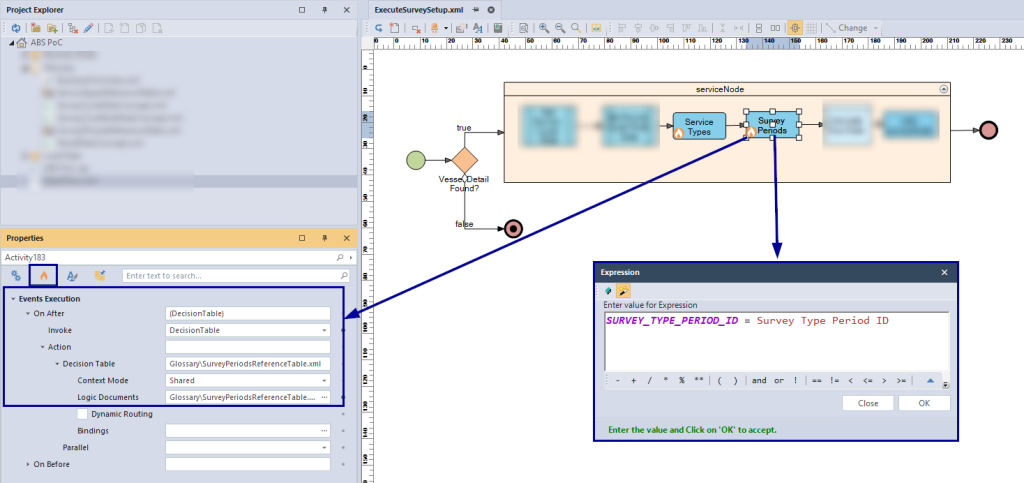
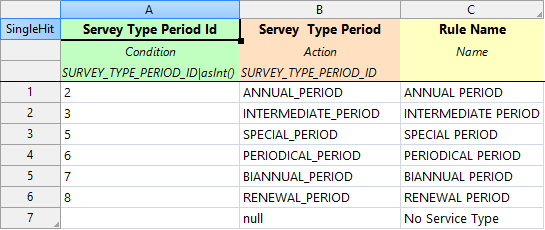
The next step is to determine the service type based on the Service Type Id, and the Servey Type Period based on the Survey Type Period Id. This decision made by 2 Decision Tables executes as post execution events.
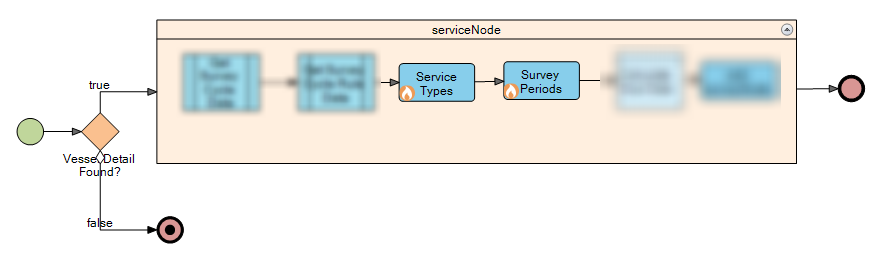
Service Types
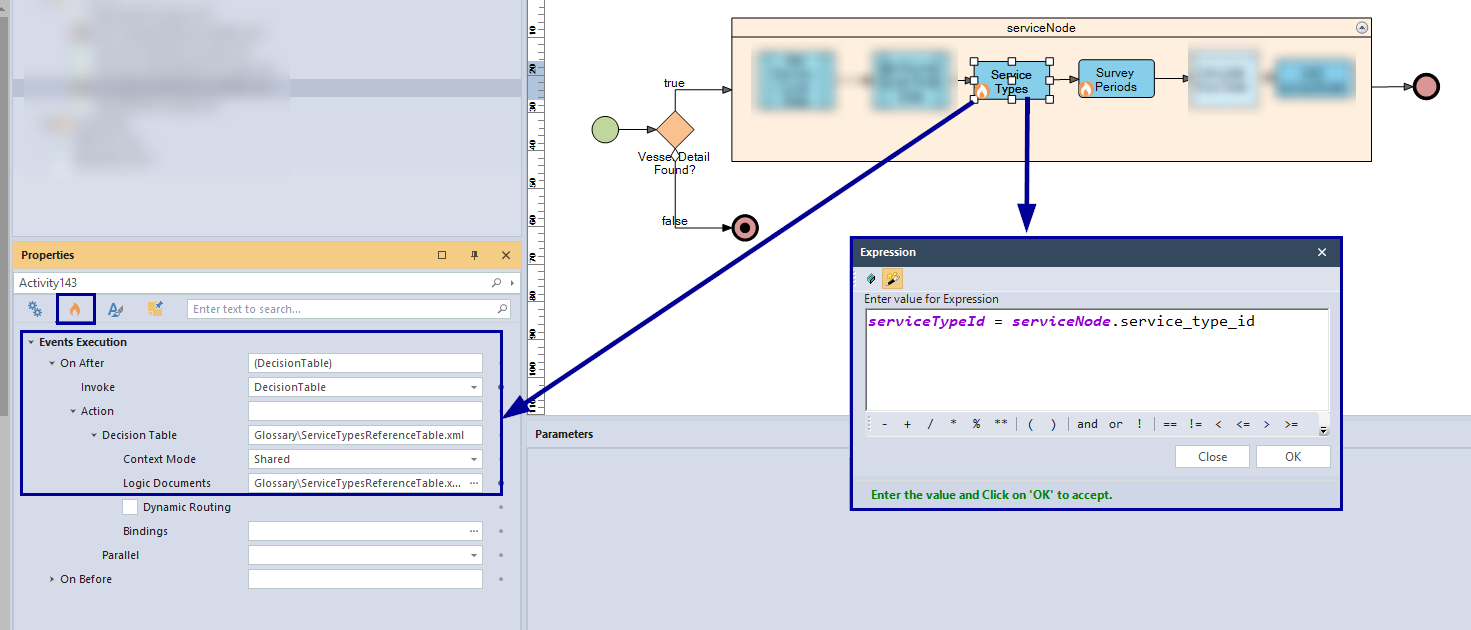
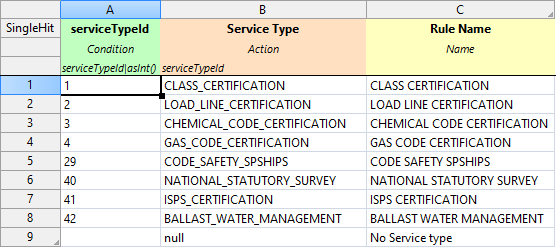
Survey Periods
Calculate Due Date
Due Date Calculation Logic:
The due date for a survey is calculated based on several factors, including the service type and survey type period. The general formula involves adding a specific number of months to a starting date and then subtracting one day.
| Service Type ID | Survey Type Period ID | Due Date Calculation |
| CLASS_CERTIFICATION | SPECIAL_PERIOD | CYCLE_START_DATE + cycleInterval months – 1 day |
| CLASS_CERTIFICATION | ANNUAL_PERIOD | CYCLE_START_DATE + CYCLE_SEQUENCE_NUM * 12 months – 1 day |
| CLASS_CERTIFICATION | BIANNUAL_PERIOD | CYCLE_START_DATE + CYCLE_SEQUENCE_NUM * 24 months – 1 day |
| CHEMICAL_CODE_CERTIFICATION, BALLAST_WATER_MANAGEMENT, LOAD_LINE_CERTIFICATION, GAS_CODE_CERTIFICATION | RENEWAL_PERIOD | CYCLE_START_DATE + cycleInterval months – 1 day |
| CHEMICAL_CODE_CERTIFICATION, BALLAST_WATER_MANAGEMENT, LOAD_LINE_CERTIFICATION, GAS_CODE_CERTIFICATION | ANNUAL_PERIOD | CYCLE_START_DATE + CYCLE_SEQUENCE_NUM * 12 months – 1 day |
| CHEMICAL_CODE_CERTIFICATION, BALLAST_WATER_MANAGEMENT, GAS_CODE_CERTIFICATION | INTERMEDIATE_PERIOD | CYCLE_START_DATE + 24 months – 1 day |
| ISPS_CERTIFICATION | INTERMEDIATE_PERIOD | CYCLE_START_DATE + 30 months – 1 day |
| CODE_SAFETY_SPSHIPS | PERIODICAL_PERIOD | CYCLE_START_DATE + CYCLE_SEQUENCE_NUM * 12 months – 1 day |
| NATIONAL_STATUTORY_SURVEY | BIANNUAL_PERIOD | CYCLE_START_DATE + CYCLE_SEQUENCE_NUM * 24 months – 1 day |
| Other | – | Null |
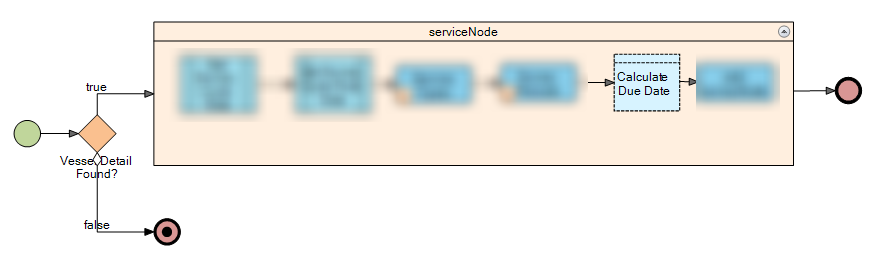
A common pattern in due date calculations is to add a specific number of months to a starting date, followed by a one-day subtraction. The exact number of months added varies based on specific business rules.
Add Months
To add a specific number of months, we’ve defined a reusable formula in the Business Glossary.
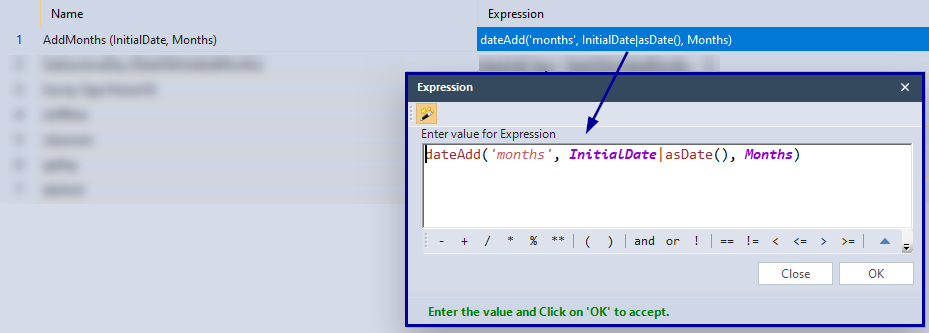
Then we have used that formula inside the logic implementation. We have implemented the logic in Decision Tables as follows. If the data satisfies for those condition, then the action column will save the results to DateWithAddedMonths parameter.
Class Certification Logic

Renewal Period Logic

Annual Peiod

Intermediate Period

Periodical Period

Biannual Period

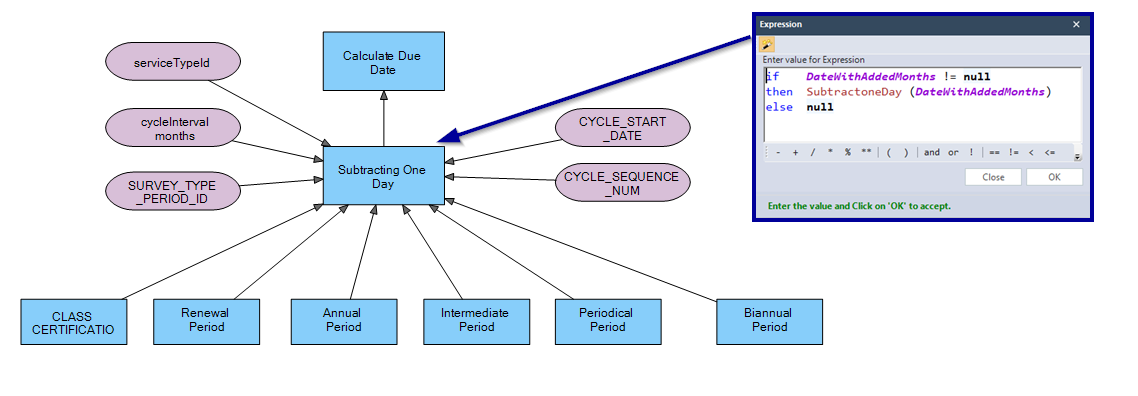
Subtracting One Day
Same as before, subtract one day, we’ve defined a reusable formula in the Business Glossary.
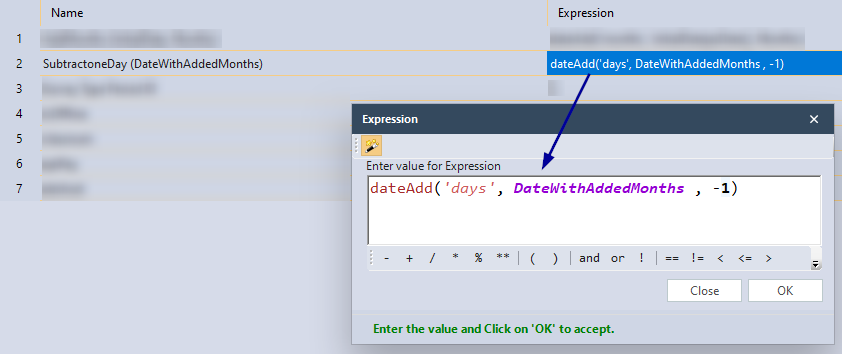
This formula is used to subtract one day, just after adding months in the Decision Tables.Considering all the logic, we can bring all the decisions in to one Decision Graph as follows
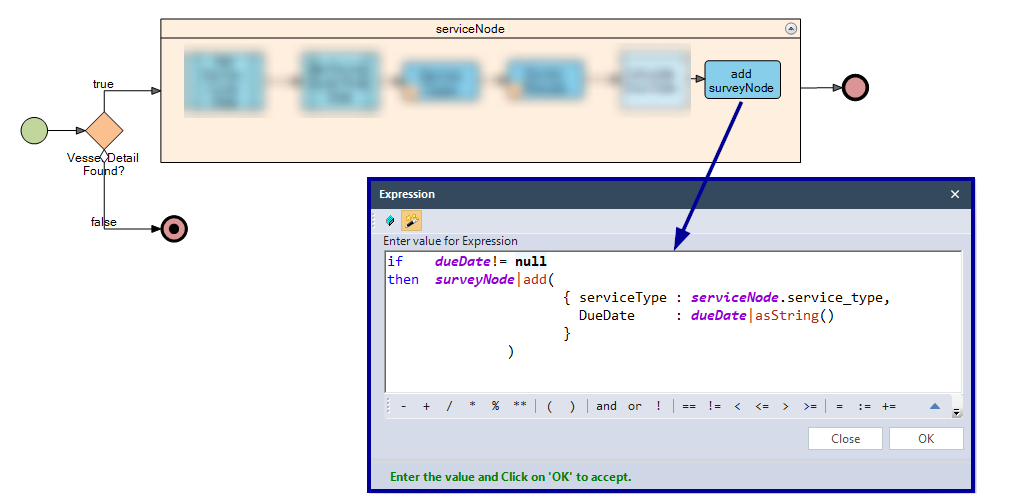
Add Survey Node
After calculating the Due Date, the results will be saved into collection called surveyNode, including calculated due date and service type which is currently executing inside the iterator.
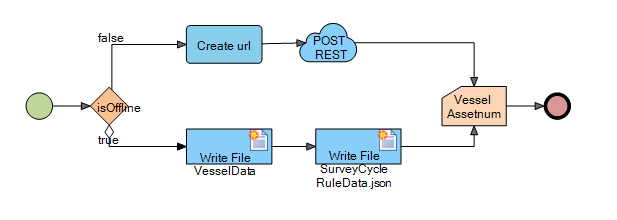
Publish Survey Details
After iterating though service Node, the results will be saved into the surveyNode as a collection. Then the surveyNode will be published into a REST API or if it is offline then results will be written to a json file.
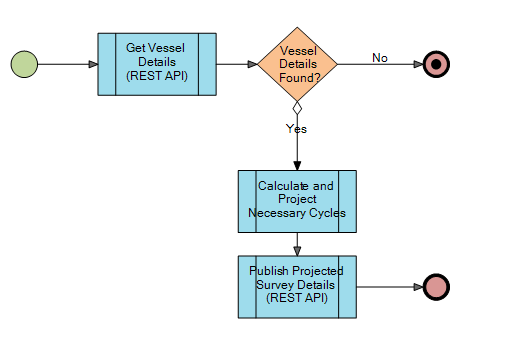
Main Flow
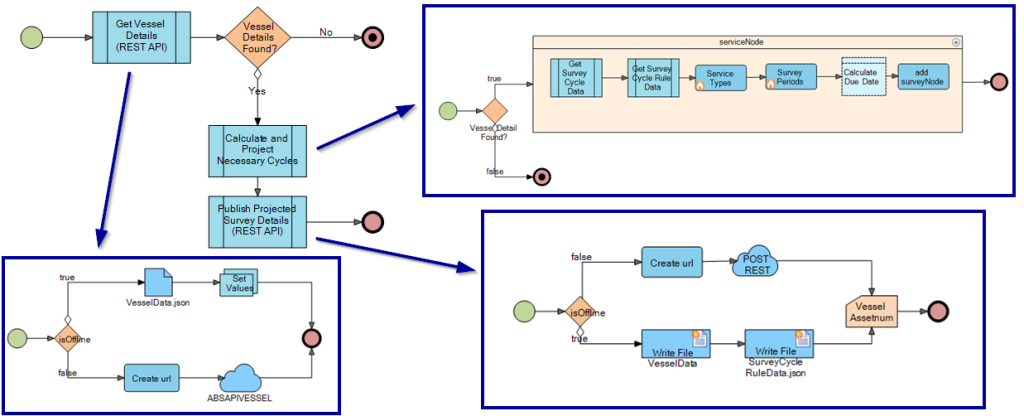
Based on what we discussed sofar, all the main decisions can be linked together as follows in a Activity flow.
Doanload the Sample Project
Use the attachment at the end of the page to download the sample project.