
◷ Reading Time: 4 minutes
The worker in the FlexRule Server feature settings is designed to enhance the server’s manageability and scalability.
Create a new Worker
Navigate to “Administration” -> “Nodes” -> “Workers”
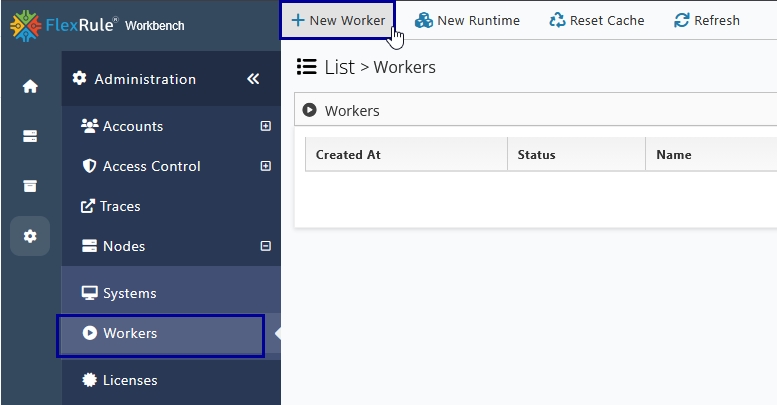
Click the “New Worker” icon to open the following window and give relevant information.
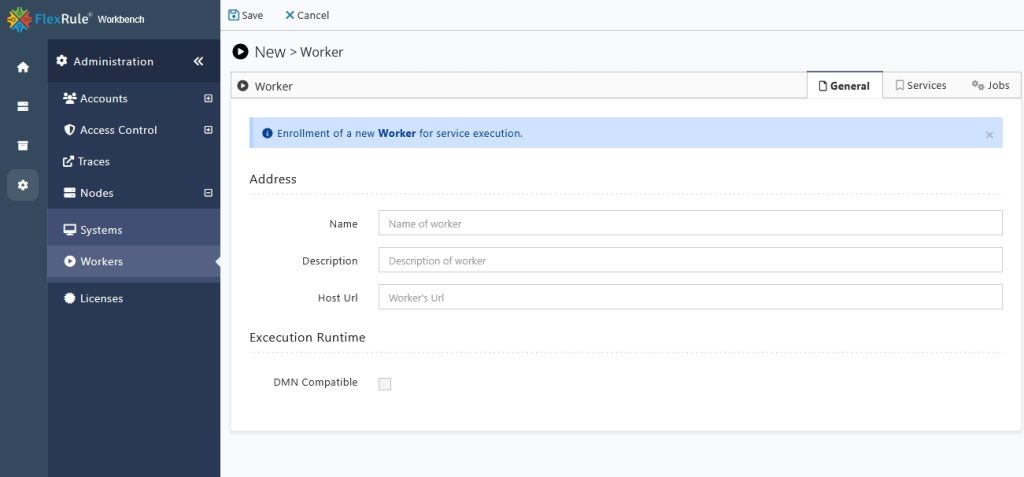
Assign a Worker to Run Services
The FlexRule Server enables assigning specific services to a worker. To assign services to a Worker, navigate to the Services tab, which displays all the services available on your server. By default, a Worker is granted access to run all services.
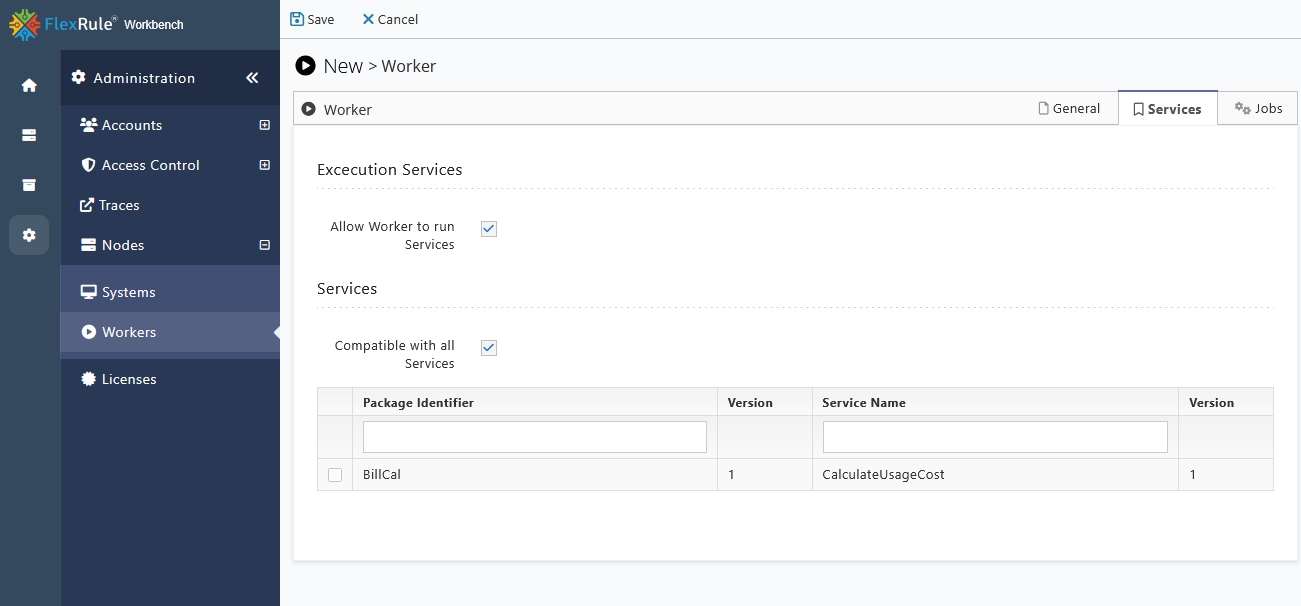
To customize this, you can uncheck the “Compatible with All Services” option and select the specific services you wish to assign. After making these changes, the Worker will be restricted to running only the selected services and will not have access to others.
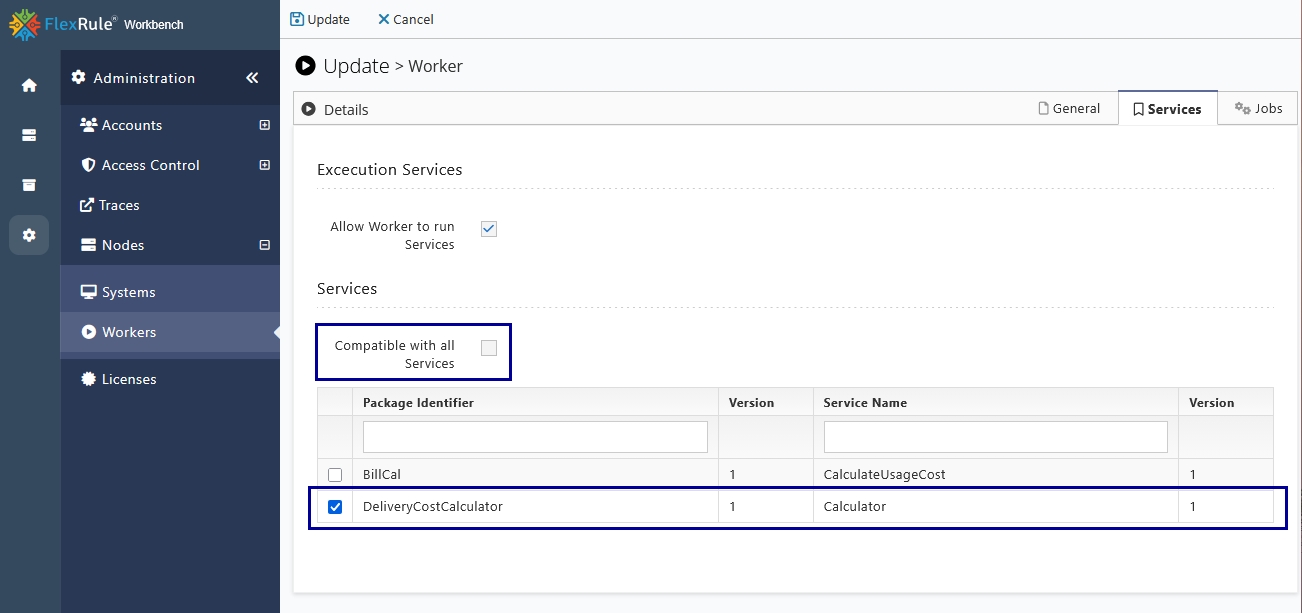
Edit a Worker
Go to Actions column of the Worker you want to edit, and select the Edit option from the drop-down.
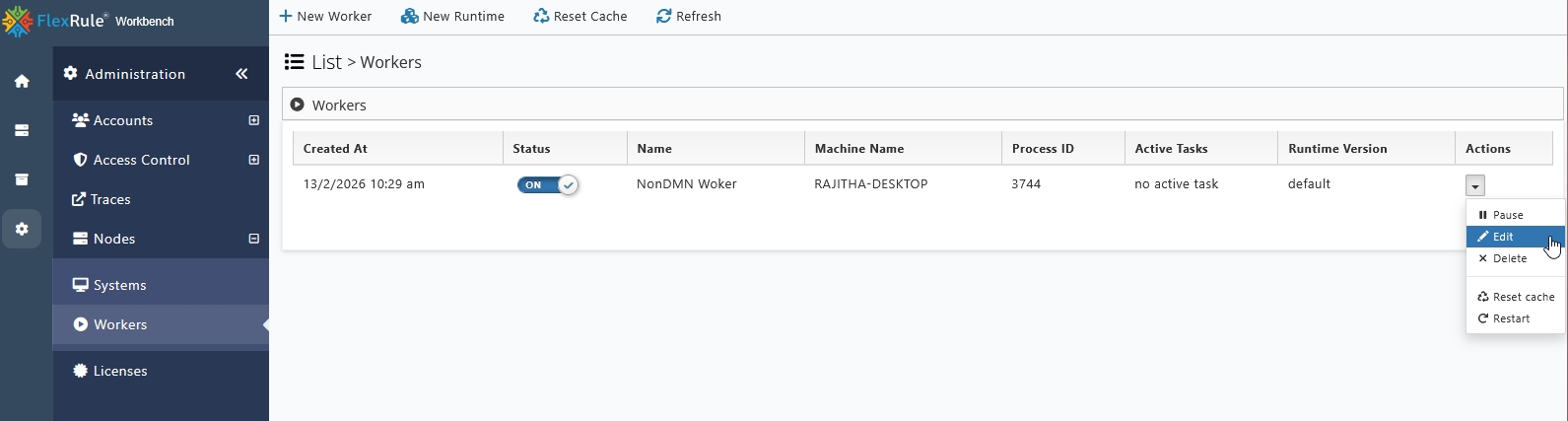
Specify the version of FlexRule Runtime
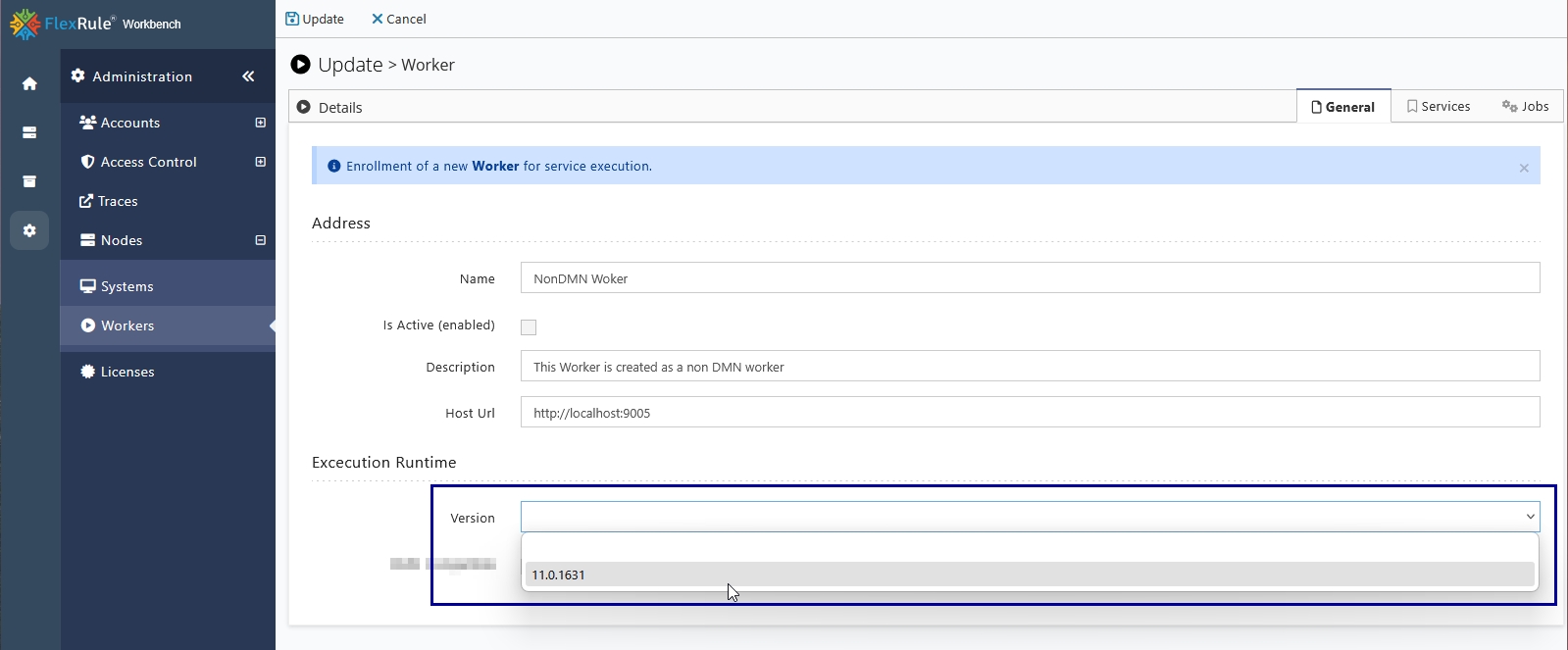
To change the Runtime for any Worker, at the first step have to upload a Runtime file to the FlexRule Server, to learn how to add a Runtime please check here.
After the Runtime is added to FlexRule Server, the user can change the runtime for any Worker on the edit window by using the drop-down icon.
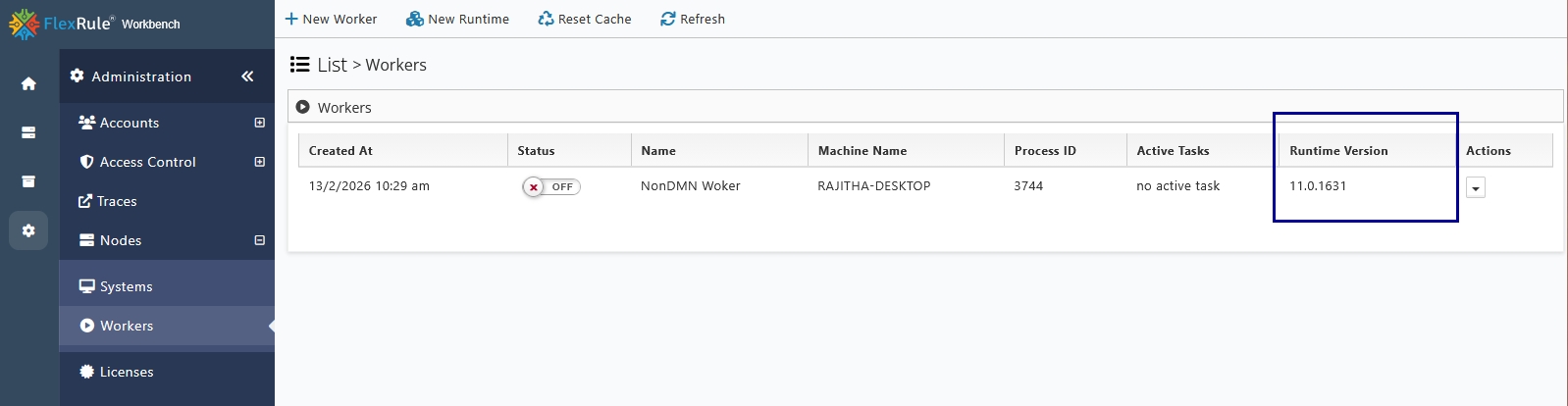
After you specify the runtime, it should display under the Runtime Version column.
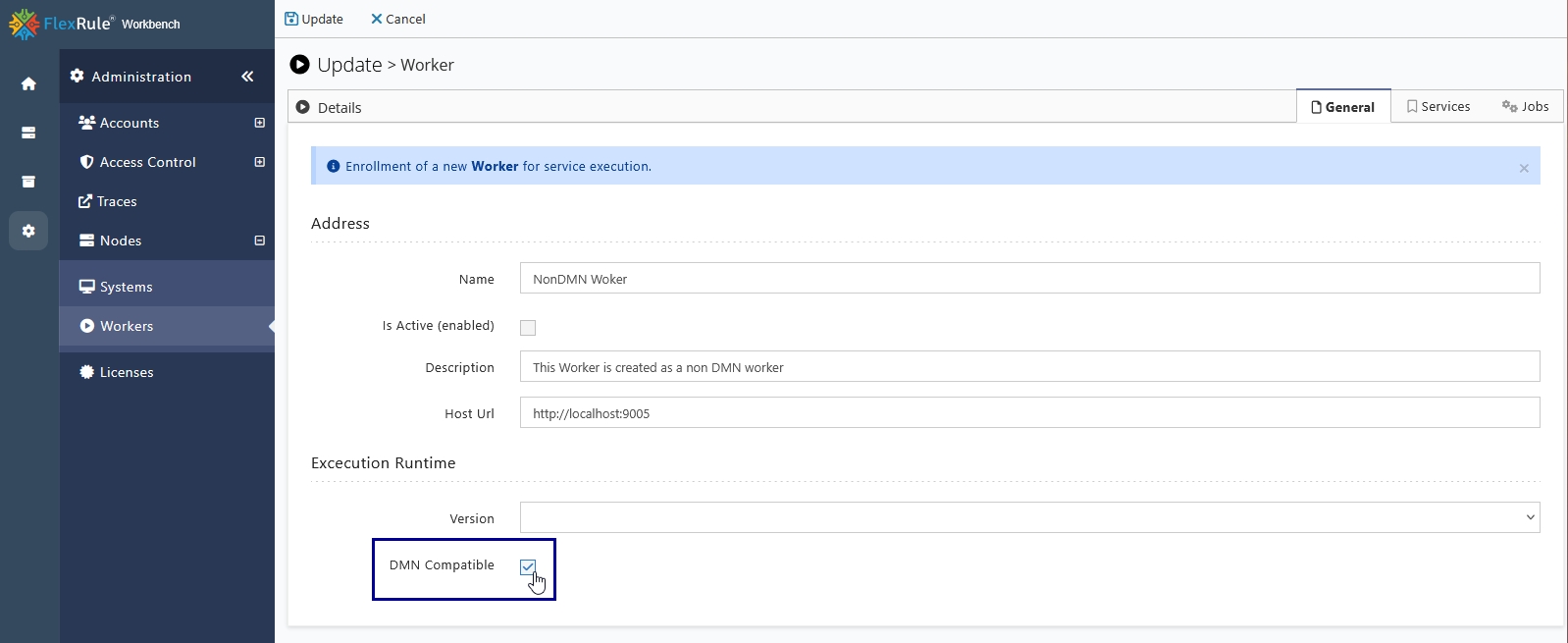
DMN Compatibility
To run packages related to DMN models, users must specify a Worker that supports the DMN compatibility feature. To grant the Worker access to run DMN packages, the user needs to tick the option on the Edit page.
Allow Worker to Run Jobs
To assign a Worker to any job, navigate to the Jobs tab. Initially, the Worker is not assigned to any jobs.
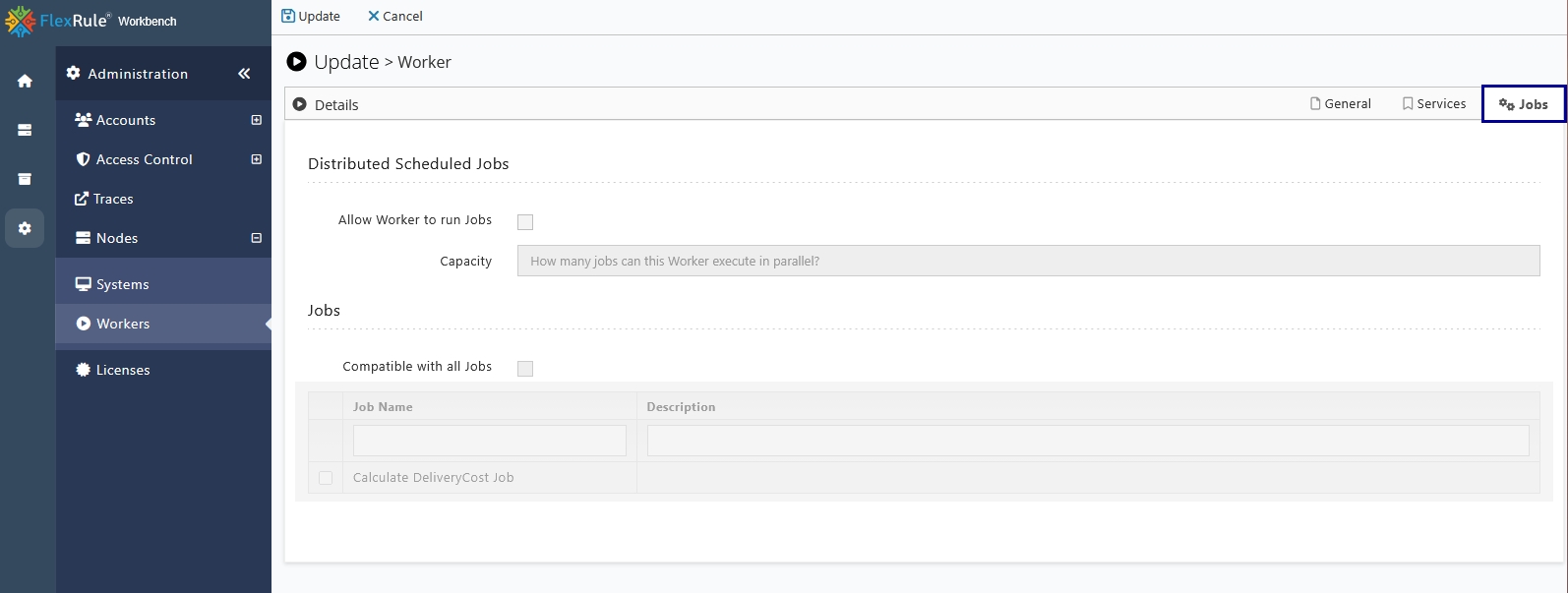
To allow a Worker to run jobs, enable the “Allow Worker to Run Jobs” option.
If you want to allow the Worker to run all jobs, enable “Compatible with all Jobs“
If you want to allow the Worker to run specific jobs only, then select the specific jobs you have in the list.
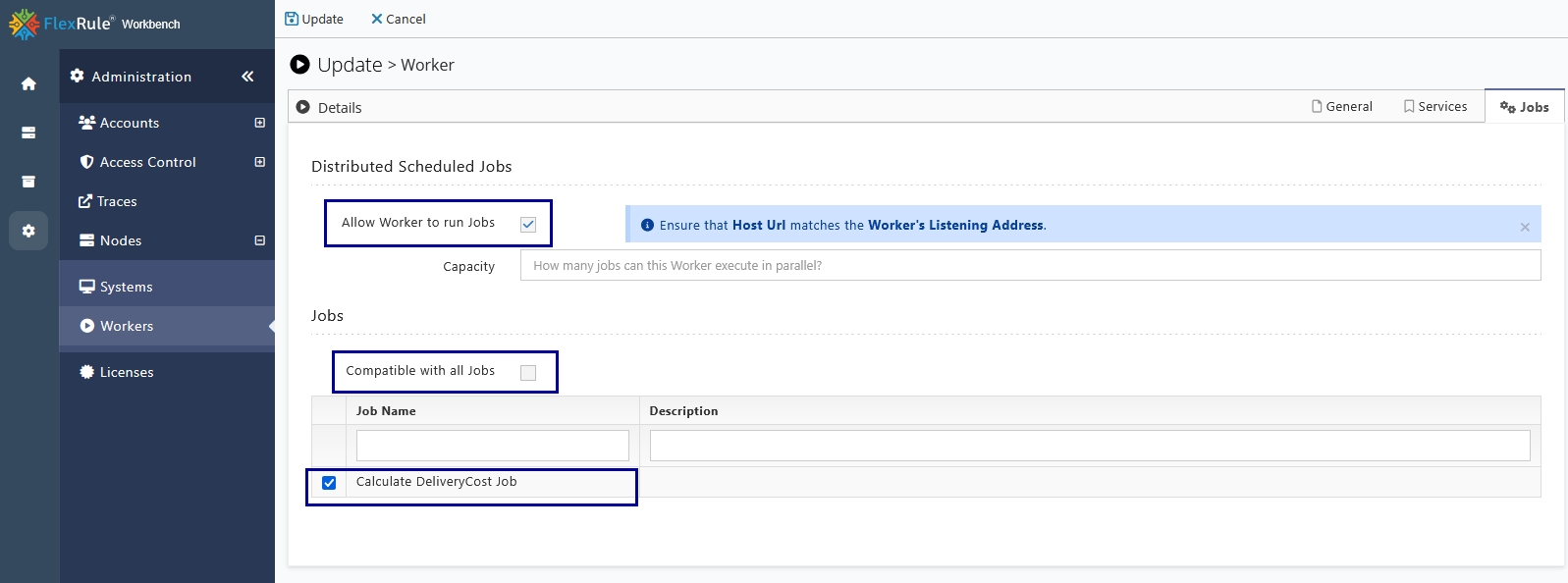
After making all the changes, click Update in the top-right corner to apply the new settings for the agent.