
◷ Reading Time: 3 minutes
In this guide, we will describe how to Manage Roles in FlexRule Server.
A role is a grouping of actions and their access permissions. Roles can be assigned to Accounts (i.e. Application or User) which then defines how that Account interacts with the server.
Access to an Action can be defined as:
- Unspecified: this means the access has not been defined for an Action
- Allow: enables an Account to use an Action
- Deny: disallows an Account to use an Action
Access Result
When an Account has multiple Roles associated, the Access on different Actions can overlap and the result of the final Access will be derived from the following Access table:
| Access 1 | Access 2 | Final Result |
|---|---|---|
| Unspecified | Unspecified | Deny |
| Unspecified | Allow | Allow |
| Unspecified | Deny | Deny |
| Allow | Deny | Deny |
| Allow | Allow | Allow |
| Allow | Unspecified | Allow |
| Deny | Unspecified | Deny |
| Deny | Allow | Deny |
| Deny | Deny | Deny |
New Role
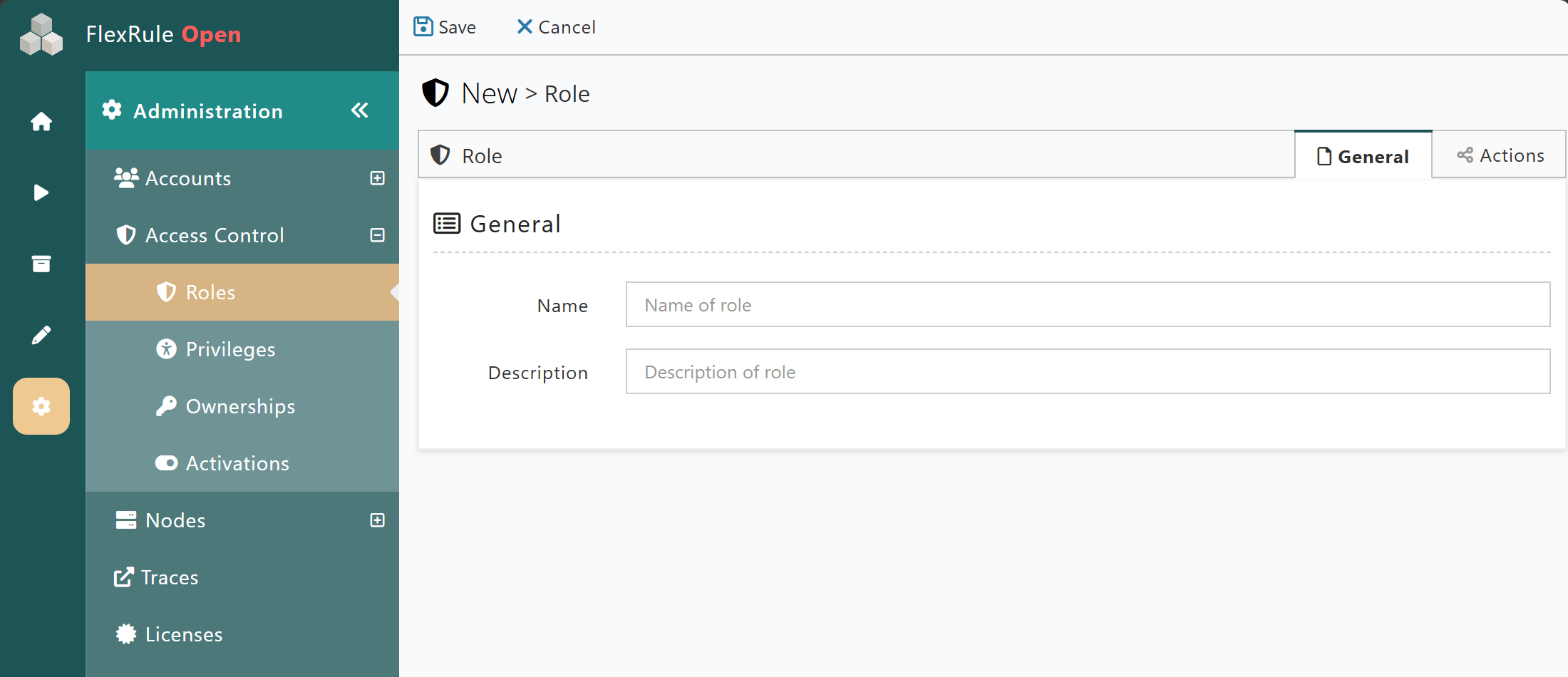
Creating a new Role requires two sets of information to be completed:
- General information about the role
- Actions, which are the access permissions for the role
General
General information allows you to assign a Name and description to the Role.
Actions – Access permissions
The actions section allows you to define what actions the role can take in FlexRule Server, including external access to execute services via REST API.
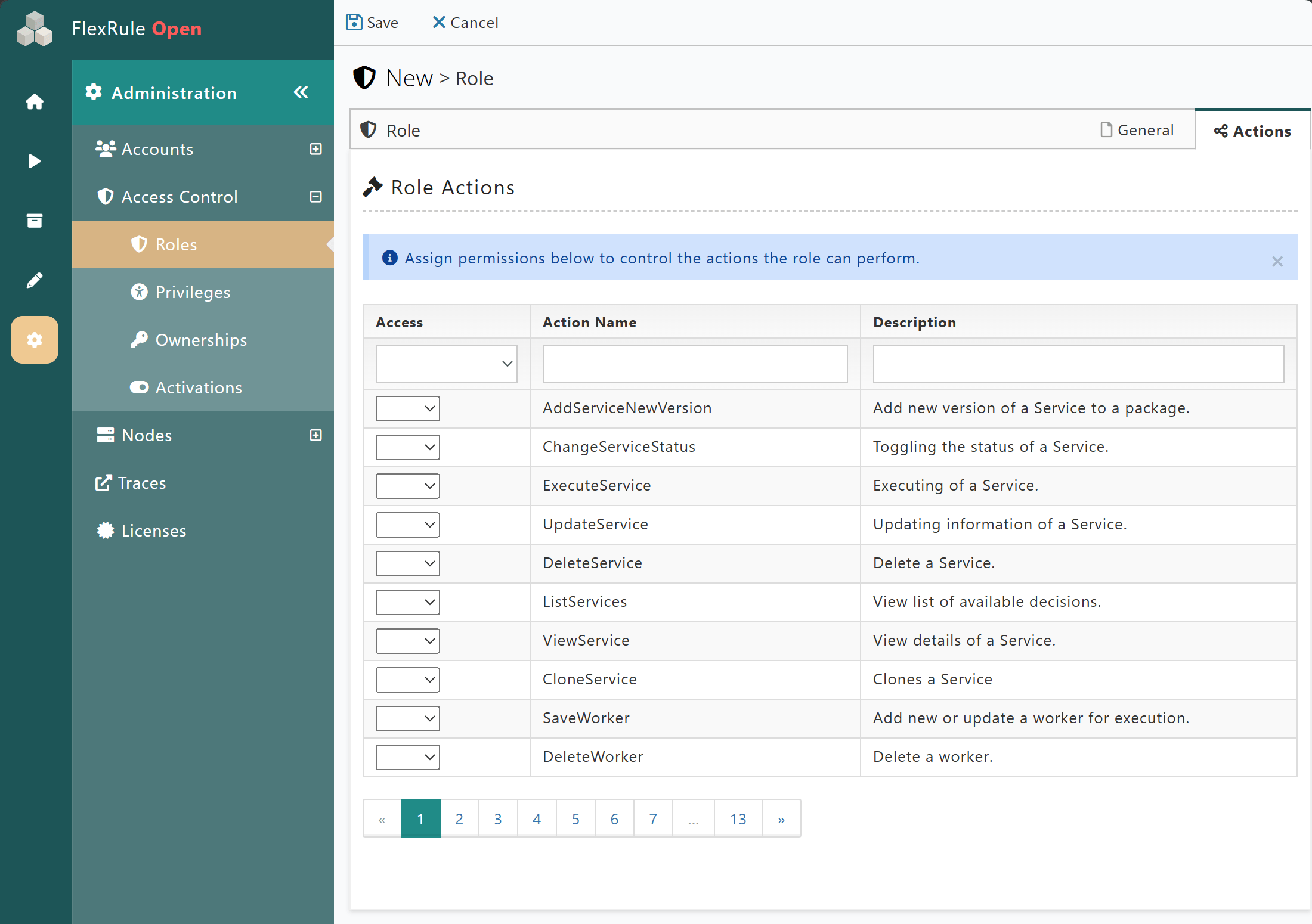
There are a large number of Actions available, giving much flexibility to manage Roles and set access permissions for Roles.
In the first column of the table, Access can be defined via a dropdown as:
- Empty: Access it not specified.
- Allow: Allows access for a specific action.
- Deny: Disallows access for a specific action.
There are search fields at the top of the table that allow you to filter for specific actions or their descriptions.
Be aware of the permissions being applied and how they relate to other areas. For example, granting a role access to execute Services but not granting access to Packages will result in the role being denied permission to execute services.